
CopyProtect vs. PDF/Video DRM: Preventing Screen, Capture and Sharing
This executive guide, created by the security experts at Newsoftwares.net, provides the definitive strategy for defeating content piracy. Content piracy via screen capture stops instantly when content owners mandate hardware, level security. For video, this necessitates implementing Multi, DRM (Widevine L1, PlayReady SL3000, FairPlay Streaming) to force secure rendering paths, resulting in the notorious “black screen” effect for unauthorized recorders. For high, value documents, the only effective defense is proprietary Secure Viewer DRM (like Locklizard), which operates outside vulnerable browser environments and hooks deep into the operating system to disable native screen grab APIs. This integrated strategy ensures verifiable content protection and preserves commercial value.
Content piracy via screen capture stops instantly when content owners mandate hardware, level security. For video, this necessitates implementing Multi, DRM (Widevine L1, PlayReady SL3000, FairPlay Streaming) to force secure rendering paths, resulting in the notorious “black screen” effect for unauthorized recorders. For high, value documents, the only effective defense is proprietary Secure Viewer DRM (like Locklizard), which operates outside vulnerable browser environments and hooks deep into the operating system to disable native screen grab APIs.
Outcome for Content Publishers Summary
- Video Strategy: Hardware DRM defeats 99 percent of casual screen recorders. Publishers must deploy Forensic Watermarking as a mandatory second layer to deter attacks exploiting the analog hole.
- Document Strategy: Abandon weak default Adobe PDF permissions. Use dedicated Secure Viewer technology that controls the viewing client.
- Defense Posture: Combine strong encryption, platform, native anti, capture technology, and user, identifying traceability for a modern, multi, layered security framework.
Section 1: The Piracy Shift, Why Simple Encryption Fails
This shift in the digital landscape requires a clear understanding of the difference between superficial restrictions and comprehensive digital control. Content owners must move beyond simple encryption, recognizing that the battle is no longer fought over file access but over rendering integrity.
1.1. Copy Protection vs. DRM: Clarifying the Terms
The public discussion surrounding content restriction is often hampered by imprecise terminology, frequently confusing “copy protection” (CP) with “Digital Rights Management” (DRM). Copy Protection is the older, simpler concept focused on merely restricting the ability to duplicate a file. Historically, CP included measures that were not digital, such such as physical media checks.
Digital Rights Management (DRM), conversely, is a much broader term. It encompasses the comprehensive management of usage rights, extending to complex business rules such as defining video rental expiry dates, limiting geographical access, and controlling the number of authorized playback devices. The appropriate umbrella term for both is “Technological Protection Measures” (TPMs), which are broadly defined as technical tools used to restrict the access or use of a work.
The failure point for simple CP systems is their focus on the file at rest. Simple encryption ensures that only authorized users receive the key. However, once the content is decrypted for viewing, CP relies on weak software barriers that are easily circumvented. DRM, on the other hand, attempts to control how the user interacts with the content after decryption. If the content owner does not exercise absolute control over the viewing environment, the client player or application, the underlying policy of the DRM is impossible to enforce consistently.
1.2. Screen Recording is the New Leak
The threat model for digital intellectual property has fundamentally changed. A decade ago, the primary piracy threat involved complex cracking of file containers or network protocols for mass file sharing. Today, screen recording is the most accessible and widespread form of digital piracy. Screen capture allows virtually anyone with basic computer skills to steal high, quality content using readily available software like OBS, Bandicam, or the Windows Game Bar.
This low, difficulty piracy completely bypasses traditional file, level DRM because it captures the decoded video or document stream immediately before it hits the display hardware. This tactical shift forces publishers to move protection from the file to the rendering pipeline. All digital content, whether video or text, must eventually be converted to a human, perceptible analog form, light on a screen or sound from a speaker. This moment of conversion is known as the “analog hole,” and it represents the unavoidable failure point for purely technical prevention measures. Because total digital prevention is impossible (an adversary can always use an external camera), the security strategy must pivot from blocking the act to identifying the perpetrator through forensic traceability.
Section 2: Video DRM Architecture: Blocking Capture at the OS Level (How, To)
To defeat screen recording, video publishers must mandate the use of the device’s secure playback environment. This process involves leveraging Multi, DRM systems to force the operating system (OS) to use secure video paths that refuse to cooperate with screenshot utilities.
2.1. The Three Pillars of Multi, DRM: Widevine, PlayReady, and FairPlay
Any publisher aiming for robust, cross, platform video delivery must implement the industry, standard Multi, DRM suite: Google Widevine, Microsoft PlayReady, and Apple FairPlay Streaming (FPS).
Widevine, dominant on Android and Chrome browsers, specifies L1 (Hardware), L2, and L3 (Software) security levels. Premium content, particularly HD and 4K streams, is typically contractually obligated to mandate L1, ensuring that decryption and processing occur entirely within a trusted execution environment (TEE) of the device’s hardware chipset. Similarly, PlayReady supports high levels like SL3000, and FairPlay Streaming (FPS) provides essential screen recording protection by utilizing hardware DRM support on iOS and macOS Safari. A critical strategic decision is to treat Widevine L3 as inherently weak and prone to leakage.
2.2. Achieving the Black Screen: Secure Video Paths
The “black screen” effect encountered when trying to capture protected video is not an accident, it is the direct result of successful, deliberate DRM implementation. This protective measure operates by utilizing secure video paths that bypass the operating system’s main visual compositor.
On Windows, this relies on Direct Composition (DCOMP). When secure playback is enforced, the video stream, decrypted inside the TEE, is routed via a dedicated data “pipe” directly to the GPU. This skips the OS’s primary image buffer. The operating system tells the GPU where the video belongs on the screen but leaves that area blank in the main visual layer. Since standard screen recording software captures the image from the OS compositor’s buffer, it sees only the blank area, resulting in the captured image being entirely black. This anti, screenshot mechanism is enforced by stronger DRM forms like Widevine L1, and it relies on using secure players and hardware, based protection (e.g., Secure Enclaves) to maintain a trusted video delivery chain.
2.3. How, To: Implementing Hardware, Mandated DRM
This tutorial is designed for content publishers integrating a professional DRM solution, focusing on mandating the strongest security levels.
Prerequisites and Safety (The L1 Mandate):
The content must be encrypted using Common Encryption (CENC). A stable, operational License Server (for Widevine, PlayReady, and FairPlay Key Server Modules) is required for secure key exchange. Publishers must be prepared to block high, resolution playback entirely if hardware compliance fails.
Step 1: Content Preparation and Encryption Profiles
Action: The initial action involves encoding and encrypting video files, using AES-CBC for FairPlay and Widevine, and AES-CTR for PlayReady. During manifest generation (e.g., MPEG-DASH MPD), the publisher must explicitly signal the use of the respective DRM schemes. Crucially, the manifest must demand the highest security level (L1 or SL3000) for premium content. Gotcha: If this requirement is not rigidly set in the manifest, the player may fall back to weaker software protection.
Step 2: Configuring the Player to Demand L1/SL3000 Security
Action: The video player (e.g., Exoplayer, Shaka Player) must be configured to check the client device’s Content Decryption Module (CDM) for the required security level. The player’s action is non, negotiable: it must reject playback if the required L1 or SL3000 level is not reported by the client device. Action: If a device fails the L1 check, the player must dynamically switch to serving only a low, resolution (SD) stream, or completely terminate the session, since high, resolution streams are typically contractually tied to hardware security.
Step 3: Device Verification Checklist (Checking HDCP Compliance)
Action: The DRM system must take the action of verifying that the display output is protected using High, bandwidth Digital Content Protection (HDCP). This protocol confirms the integrity of the connection between the playback device and the display. Gotcha: A major vulnerability is that HDCP is often bypassed by specialized HDMI splitters. Therefore, content administrators must rigorously monitor HDCP compliance logs. If a device reports a secure link error or HDCP failure, the policy must be to immediately block HD streams or terminate playback.
2.4. Strategic Comparison: Multi, DRM Cost and Complexity
Selecting the right combination of DRM platforms is a core business decision based on target device support and regulatory requirements.
Multi, DRM Platform Matrix
| Platform | Main Use | Highest Security Level | Key Platform Support | Licensing Cost Model |
| Widevine | Android, Chrome, OTT | L1 (Hardware) | Android, Chrome, Edge | Royalty, Free Licensing |
| PlayReady | Windows, Edge, Xbox | SL3000 (Highest) | Windows, Edge, Xbox, iOS | License Server Required |
| FairPlay Streaming (FPS) | Apple Ecosystem | Secure Video Path (Hardware) | iOS, macOS Safari, tvOS | Requires Apple Credential Approval |
Section 3: Document DRM: The Secure Viewer Mandate (How, To)
Protecting static content like PDFs and confidential reports requires abandoning reliance on standard document formats and moving to solutions that control the client application running on the user’s endpoint device.
3.1. Why Adobe Permissions are Useless
The practice of applying password protection or usage restrictions via standard PDF authoring tools is fundamentally inadequate. These mechanisms are often confused with robust content security, yet they are easily bypassed. Standard Adobe permissions only enforce flags that the viewing software chooses to obey, such as governing whether the print button appears.
The core issue is persistence: standard PDF permissions can be “easily removed” using widely available third, party cracking tools that strip the weak restrictions from the file. Once stripped, the file is permanently unprotected and freely distributable. Furthermore, solutions relying on browser, based viewing or plug, in systems are inherently vulnerable to screen grabbing because the content owner lacks control over the host environment. Document protection requires an environment that resists screen grabbing programs that rely on standard OS image buffers.
3.2. Proprietary Security: How Secure Viewers Block Screenshots
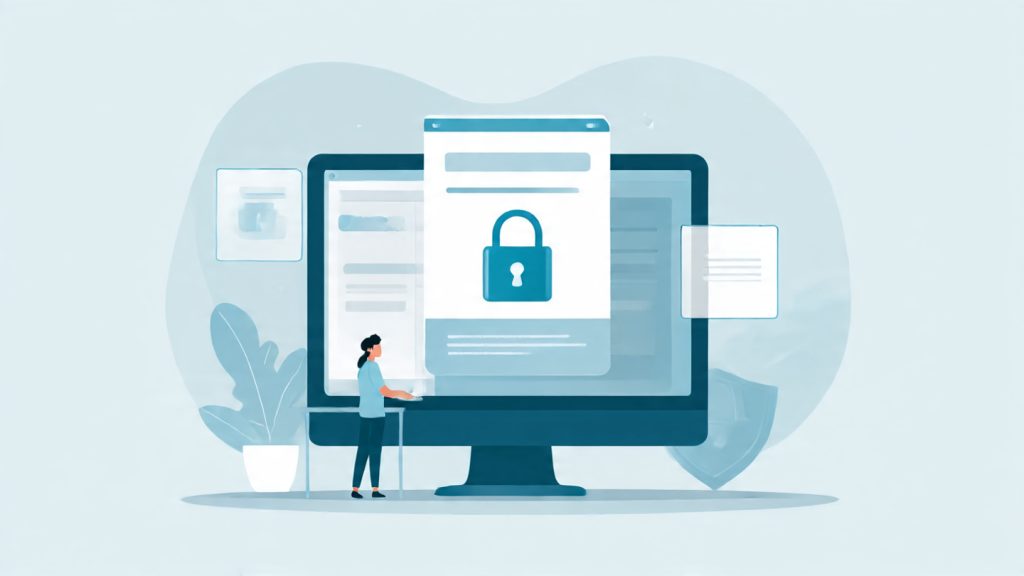
The most robust defense for documents utilizes dedicated, proprietary secure viewers (e.g., Locklizard, VeryPDF) that operate outside standard browser or reader environments. These solutions leverage US Government strength AES encryption, typically AES-256, ensuring that content decryption only occurs within the viewer’s highly restricted memory space.
These proprietary systems go far beyond disabling the superficial Print Screen key. They employ specific OS, level hooks and kernel drivers that actively block screen, grabbing APIs at their root. Locklizard, for instance, blocks common screen, grabbing software and enforces strict DRM controls, including device locking and expiry dates. This approach requires the publisher to enforce the use of their proprietary client, but in return, it provides persistent protection and resistance to screen capture that traditional PDF solutions cannot match. If the publisher controls the viewer application, they control the decryption and rendering environment.
3.3. How, To: Securing a High, Value PDF Document (Using Locklizard Principles)
Securing a high, value PDF requires using a dedicated content security publisher to package the file and apply mandatory controls before distribution.
Step 1: Encrypting the Document and Applying Core Controls
Action: The primary tool is the dedicated publisher application (e.g., Locklizard Safeguard PDF Security Publisher). The immediate action is applying AES-256 encryption to the source PDF. This encryption must ensure that decryption happens exclusively within the secure viewer’s memory, never exposing the key or content stream to the user’s file system. Concurrently, mandatory security settings must be enabled: “Disable printing,” “Stop copy/paste,” and the critical “Block screenshots”.
Step 2: User Licensing and Device Locking
Action: Protection is tied to the user, not just the file. The publisher must assign the protected document to specific users (via their identity) and define strict limitations on device access, such as locking the document to a single unique device ID. This preempts unauthorized sharing. For corporate confidentiality, the system can implement location locking, restricting document use to authorized IP ranges (e.g., office, only access) to control risks from BYOD usage.
Proof of Work Block: Required Settings Snapshot
Verification ensures that all critical protections are correctly configured prior to distribution.
Proof of Work: Secure Document Configuration
| Setting | Standard | Status |
| Encryption Algorithm | AES-256 (US Gov Strength) | Active |
| Screen Capture Control | Block Screenshots | ON |
| Copy/Paste Restriction | Disable Copy/Paste | BLOCKED |
| Print Control | Disable Printing (or limit count) | DISABLED |
| Verification Test | Attempting to use the Windows Snipping Tool on the secured document results in a blank or obscured output. | Confirmed |
Section 4: Mitigating the Analog Hole: Watermarking and Traceability
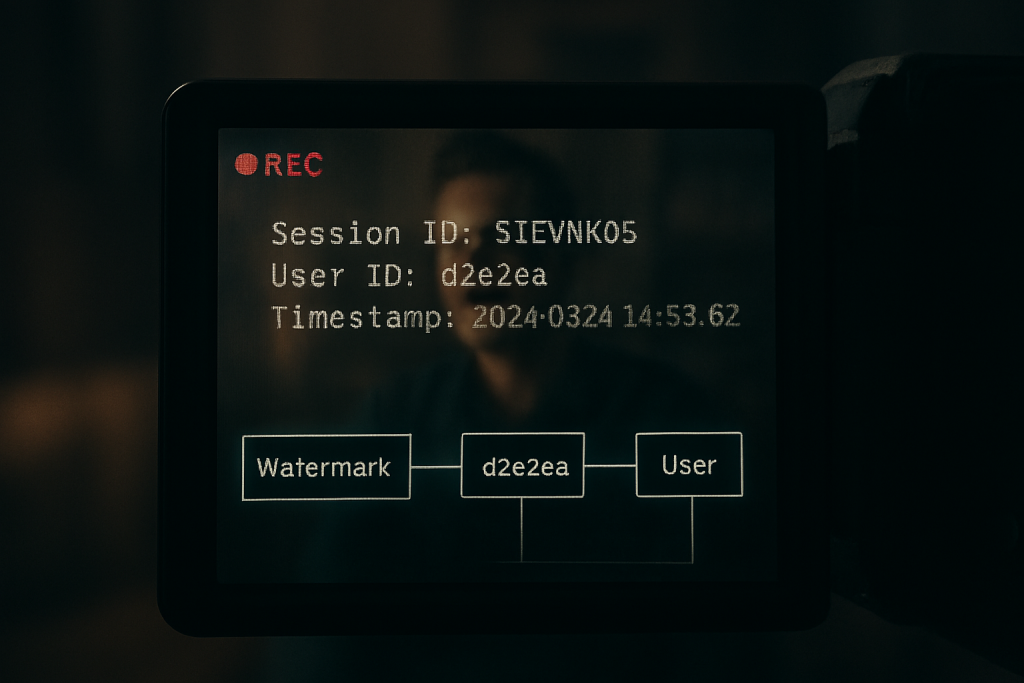
Technical prevention systems are vulnerable to physical capture at the point of display, known as the analog hole. Security strategy must accept this reality and pivot from purely technical blockade to forensic identification.
4.1. The Traceability Mandate: Accepting Hardware Recorders
Content owners must acknowledge that total digital security is an impossible benchmark because a determined adversary can always use a physical camera or transcribe content manually. This fundamental flaw in digital enforcement, based on the principle that content must be rendered to be consumed, shifts the focus. The strategic goal must move from preventing the capture to detecting and identifying the source of the leak for legal action.
By implementing mandatory forensic traceability, the content owner gains the ability to transform an untraceable security failure into an actionable legal incident. This requires establishing a clear chain of custody tied to every playback session.
4.2. Session, Based Forensic Watermarking
Forensic watermarking is the technical solution used to address the analog hole. It involves dynamically overlaying unique, session, specific identifiers onto the visual content during playback. This mark is tied directly to the authorized user’s account, session ID, and timestamp. The watermarks can be visible (a clear deterrent) or embedded subtly into the pixel data, ensuring the mark survives external camera capture, compression, cropping, and re, encoding.
When combining traditional DRM with session, based forensic watermarking, content owners ensure that if a copy leaks, the media pirate can be positively identified and potentially held criminally liable.
Share, Safely Example (Deterrent Implementation)
A content publisher releases a high, value video course protected by Widevine L1. Before streaming, the publisher applies mandatory forensic watermarking that subtly but permanently displays the user’s account ID and the current IP address throughout the video stream. If this video appears on an unauthorized platform, the publisher instantly extracts the embedded user ID from the leaked file. This proof of work provides the evidence required for immediate license revocation and supports legal proceedings against the authorized user who betrayed the terms of service.
Section 5: Troubleshooting and Hardening Defenses (Symptom $\to$ Fix)
Effective content protection includes anticipating and resolving the common configuration errors and user, side bypass methods that facilitate content leakage.
5.1. Root Causes of Piracy Gaps (Ranked)
- Weakest DRM Level: Content leakage most frequently stems from the content defaulting to Widevine L3 (Software DRM). This happens when the hardware fails the mandatory L1 check, but the policy allows L3 playback anyway, creating a path for easy screen recording tools.
- Client, Side Bypass: Users intentionally disable hardware acceleration in their browser settings. This manipulation forces the system to drop to the software, based L3 protection, bypassing the secure rendering path established by hardware DRM.
- Hardware Failure/Interception: The reliance on external display protection is often defeated. HDCP compliance fails when specialized HDMI splitters are used to strip the protection signal, intercepting the unencrypted data before it reaches the display.
- Virtual Machine/Remote Desktop Exploits: Adversaries exploit virtual machine (VM) or Virtual Desktop Infrastructure (VDI) environments. Many common remote access tools (such as those cataloged in MITRE T1113) include screen capture functionality designed to steal proprietary data from within a compromised, sandboxed environment.
5.2. Common Black Screen Fixes (For Users and Publishers)
This table addresses frequent issues resulting in either failed DRM enforcement or frustrating playback errors for authorized users.
DRM Playback Symptom to Fix Table
| Symptom | Root Cause | Non, Destructive Test / Fix for User | Mitigation for Publisher |
| Video plays audio but screen is black (Mac/PC) | Client is using software (L3) DRM, hardware acceleration disabled. | Action: In Chrome/Brave settings, navigate to system settings and re, enable “Use hardware acceleration when available,” then relaunch the browser. | Enforce minimum L1 requirement for HD content, or dynamically restrict quality to SD if L1/HDCP fails compliance checks. |
DRM Error Code (PLAYER_ERR_DASH_DRM_KEY_SESSION) |
Browser setting blocks protected content identifiers required by the DRM License Server. | Action: Navigate to chrome://settings/content/protectedContent and ensure the setting “Sites can play protected content” is selected. |
Provide clear, platform, specific support documentation guiding users to enable protected content settings for their browser. |
| Screen capture shows content (Widevine L3 leak) | Browser (e.g., specific Chrome versions) failing to enforce L3 protection post, update. | Action: Use a secured browser (e.g., Microsoft Edge often enforces L3 better on Windows) for protected content delivery. | Implement Forensic Watermarking as a mandatory L3 fallback layer. Monitor and patch against documented browser security gaps rigorously. |
| Secure PDF content is captured via remote desktop (Citrix/VDI) | Remote session client lacks adequate App Protection policies against screen grabs. | Cannot be fixed by the user, requires administrator intervention. | Implement Citrix Workspace App Protection anti, screen capture policies at the server level, blocking the OS’s screenshot APIs within the session. |
5.3. Hardening Defenses Against Common Hacks
Publishers must implement strict policies to counteract known technical exploits.
Mitigating the Hardware Acceleration Trick: When users disable hardware acceleration, they deliberately force the playback system into the vulnerable Widevine L3 software mode. The only reliable defensive solution is to adopt an uncompromising policy: L1 or HDCP failure must trigger an immediate, dramatic restriction of content quality or a complete halt to playback. Content quality should be proportional to the reported security level.
The VDI Threat (Citadel Strategy): Protecting highly confidential or internal training materials demands securing the endpoint environment itself. Adversaries often use virtual machines or compromised remote access sessions to capture screens. The enterprise solution is robust sandboxing. Tools like Citrix Workspace App Protection are necessary to defeat screen capture within the session by scrambling keystrokes (anti, keylogging) and blocking the OS’s screenshot APIs, ensuring that protected content remains inaccessible even within a VDI environment.
Section 6: Future, Proofing and Final Strategy
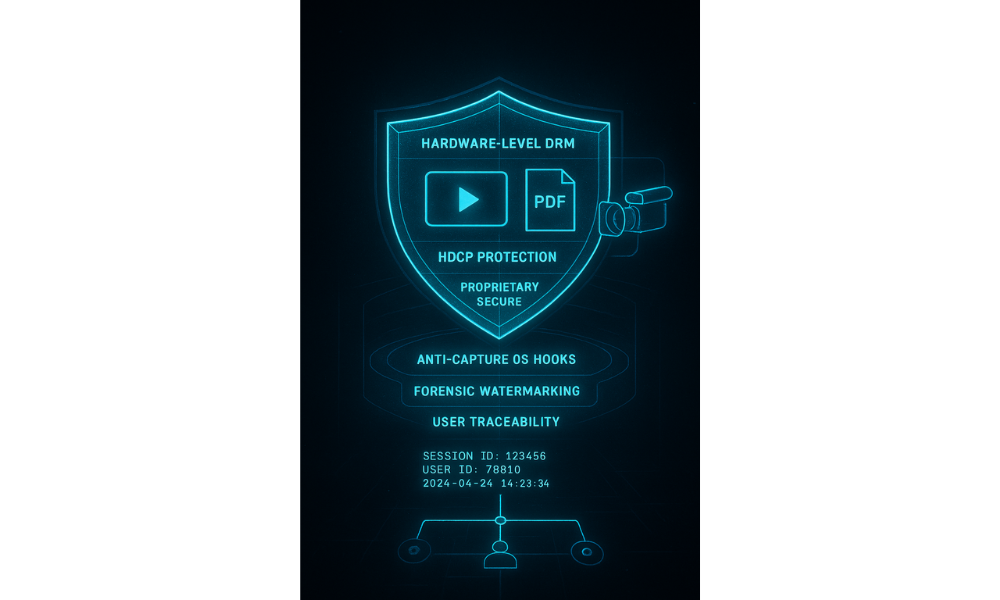
The longevity of a content protection system depends on its ability to evolve and its acceptance by the paying user base.
6.1. Balancing Security and User Experience (UX)
An effective DRM strategy must balance maximal protection with a smooth user experience, avoiding frustrating technical hurdles, constant logins, or unexpected playback failures. The strategic goal is that security mechanisms, especially for video, should operate invisibly. However, document protection that requires proprietary viewers, while highly secure, introduces unavoidable installation friction. Publishers must carefully assess their audience’s willingness to adopt new software. While a solution like Locklizard offers maximum security by enforcing its proprietary client and OS hooks, a mass, market publisher might prioritize wider accessibility over absolute security, accepting the risk posed by browser or plugin, based DRM. The choice should always reflect the highest level of security that the target customer base will accept without actively seeking circumvention methods.
6.2. Final Verdict by Persona
The optimal anti, capture solution varies based on the type of asset, the financial value, and the audience distribution mechanism.
Final Content Protection Strategy Verdict
| Persona | Primary IP Asset | Recommended Anti, Capture Strategy | Key Trade, off |
| Online Course Creator (SMB Admin) | 1080p Video Tutorials | Widevine L1 enforcement + Session, Based Forensic Watermarking. | Watermarking is slightly visible (a minor UX cost), but it guarantees traceability if a device falls back to weaker L3 protection. |
| Financial/Legal Publisher | PDF Research Reports, Compliance Manuals | Proprietary Secure Viewer (e.g., Locklizard or VeryPDF). | Highest security against document leakage, but requires users to install new viewing software, adding significant customer friction. |
| Enterprise Training Manager | Internal SaaS Apps, Confidential Demos | VDI solution (e.g., Citrix App Protection) and multi, DRM enforcement for streamed media. | High initial cost and complexity for VDI implementation, but essential for preventing insider leaks and protecting highly sensitive internal data. |
FAQs: Content Protection and Screen Capture
1. Is it actually illegal to screen record content protected by DRM
Yes, generally. Circumventing technological protection measures (TPMs) like DRM to create unauthorized copies violates laws such as the U.S. Digital Millennium Copyright Act (DMCA). Legal protection often applies regardless of whether the user intends the resulting copy for “fair use.
2. Why do I see a black screen when I try to record Netflix or Hulu
The black screen is an intentional protective measure enforced by hardware, based DRM (Widevine L1 or PlayReady). The system detects your screen recording software and reroutes the video stream away from the vulnerable OS layer, resulting in a blank output on the recorder’s side.
3. Does disabling hardware acceleration bypass strong DRM protection
It often does. Disabling hardware acceleration forces the content player to use weaker, software, only DRM (like Widevine L3), which is more vulnerable to screen recording tools. However, high, value streaming services usually detect this and automatically downgrade the stream quality or block playback entirely.
4. How effective is forensic watermarking if the video is compressed and re, uploaded
Forensic watermarking is highly effective because the unique user ID is embedded in a manner resistant to typical re, encoding and cropping. Even if the video quality degrades, specialized anti, piracy systems can usually trace the leak back to the original authorized user, establishing legal liability.
5. Why are standard PDF passwords not considered real DRM
Standard PDF passwords and permissions (like restricting printing or copying) are easily stripped using widely available third, party software. They rely on the honor system and the Adobe reader’s compliance, offering no persistent protection or enforcement mechanism once the file leaves the initial environment.
6. Does Widevine L3 still prevent screen recording
Widevine L3 relies solely on software security and is significantly less reliable than L1. While it attempts to block screen recording, documented security gaps exist (e.g., recent Chrome updates causing leaks). For this reason, L3 should always be treated as a weak fallback, not a primary defense.
7. Can I still record the video if I use an HDMI splitter
If the content provider enforces HDCP (High, bandwidth Digital Content Protection), an HDCP, stripping HDMI splitter may allow capture. However, robust DRM systems monitor the HDCP handshake. If the handshake fails, the video stream will often be blocked or severely degraded (e.g., dropping to 480p resolution).
8. What is the highest level of security available for a proprietary document
The highest security level comes from proprietary Secure Viewer solutions (like Locklizard) that enforce strong AES-256 encryption, lock the file to the user’s specific device, and use operating system hooks to actively block screen capture APIs.
9. Are there DRM tools that block screen recording on Linux
Yes. Multi, DRM systems utilizing Widevine L1 function on supported Linux browsers (like Chrome) that report adequate hardware trust. For proprietary document protection, desktop viewers are often available for Linux (e.g., FileOpen/Locklizard clients), but OS, level integration complexity varies.
10. What is the difference between encryption and DRM
Encryption scrambles data so that only those with the key can access it. DRM is the policy framework that controls how the key is delivered and how the decrypted content is used (e.g., controlling printing, sharing, and screen capture).
11. Is FairPlay Streaming only for Apple devices
Yes. FairPlay Streaming (FPS) is Apple’s proprietary DRM used to secure content delivery specifically over HTTP Live Streaming (HLS) on iOS apps, iOS Safari, macOS Safari, and tvOS.
12. Can anti, screen capture technology be used for internal corporate training
Absolutely, and it should be. Using tools like Citrix Workspace App Protection provides essential security against insider threats by preventing screen capture (to stop data leaks) and anti, keylogging (to protect credentials) within the virtual desktop environment.
13. Why does Widevine L1 block screenshots, but L3 does not always
L1 is hardware, level protection, meaning the decryption and video rendering pipeline is secured within the device’s TEE, bypassing the OS compositor entirely. L3 is software, based, relying on the operating system’s compliance, which can be manipulated or bypassed by dedicated screen recording hooks.
14. What exactly is the AES-256 encryption standard used by document DRM
AES-256 is the Advanced Encryption Standard with a 256, bit key length, regarded by the US government as the strongest publicly available symmetric encryption algorithm. It is the standard for high, security digital content, offering cryptographic strength that resists cracking for theoretically millions of years.
15. Can the use of picture, in, picture mode bypass screen recording blocks
Some DRM solutions fail to enforce security during picture, in, picture (PiP) or multi, window modes. Secure players should be configured to disable PiP, background playback, and multi, window modes entirely to ensure the content remains rendered exclusively within the secure environment.
Conclusions and Recommendations
The analysis of content protection confirms that the strategy must pivot from blocking file access to securing the rendering pipeline and ensuring forensic traceability. Effective DRM requires mandating **hardware-based security** (Widevine L1, PlayReady SL3000) for video to enforce the “black screen” effect and utilizing proprietary **Secure Viewer solutions** for documents to actively block operating system screen capture APIs.
However, given the unavoidable analog hole, a multi, layered framework is mandatory. Publishers must combine technical blockades with **session-based Forensic Watermarking** to transform an untraceable leak into an actionable legal incident, identifying the original authorized user and preserving the commercial value of the content.