
USB Secure ®
Password Protect your USB Drive
Password-protect your USB flash disks and external drives. Fast Virtual Drive access of protected area, plug and play support and so much more...


USB Secure awards and reviews from industry experts all around the world!
USB Security without all the bells and whistles
A minimilistic user interface that asks you for password when opening a USB Drive. No need to install program once its there and no need for administrative privileges.


Virtual Drive option to make things faster
Choose between unlocking or just access the locked files in a virtual drive. This plug and play feature is handy if you fear from data loss in case if USB drive is removed from the PC abruptly.
Virtual Drive option to make things faster
Choose between unlocking or just access the locked files in a virtual drive. This plug and play feature is handy if you fear from data loss in case if USB drive is removed from the PC abruptly.
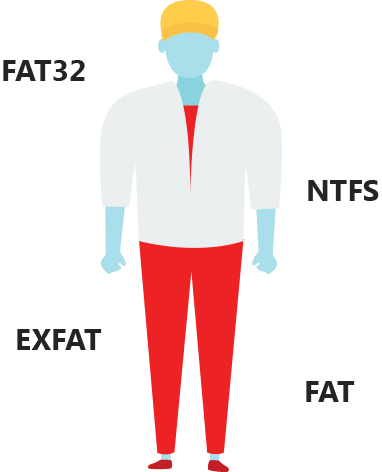
Works on all disk types; FAT32, NTFS, EXFAT or FAT
The product works on FAT/FAT32/NTFS drive types and all types of USB and External drives. No matter how much data you have, it will be password protected in seconds.
Screenshots


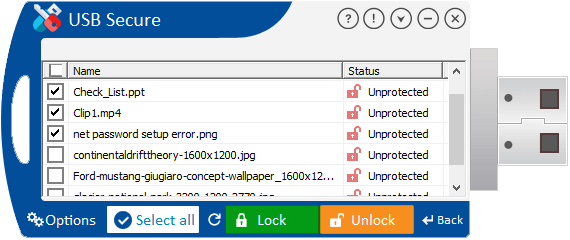


USB Secure password-protects USB flash drives, pen drives, thumb drives, memory sticks, memory cards and external hard drives. It runs from the drive itself, so you don't need to install anything or have admin rights on the other PC to open your files.
Password-protect a USB flash drive or pen drive
- Plug in the driveConnect the USB flash drive, pen drive or external drive to your Windows PC.
- Start USB SecureChoose Password Protect this USB drive from AutoPlay, or double-click the drive.
- Set your passwordEnter and confirm a password that's easy for you to remember and hard for others to guess.
- Open it when you need itEnter your password, then choose Open Data in Virtual Drive to work on files without unlocking them, or Extract Data to USB Drive.
For screenshots of each step, see how to password protect a USB drive.
Drives and formats it works with
| BitLocker To Go | USB Secure | |
|---|---|---|
| Lock a drive on Windows Home | No, needs Pro or Enterprise | Yes |
| Open on another PC without installing anything | Yes, on Windows | Yes, runs from the drive |
| Admin rights needed on the other PC | No | No |
| Edit files without unlocking the whole drive | No | Yes, Virtual Drive |
USB Secure locks your own drive, so it's useless to anyone who finds or steals it. A USB blocker does the opposite job: it stops unknown drives being used on your PC.
Files protected with USB Secure stay behind your password, even if the drive is lost or stolen.
To protect only some files on a drive, put them in a Folder Lock Portable Locker. See Folder Lock for PC.
USB security: common questions
Do I need to install USB Secure on every PC?
No. It runs from the protected drive, and the other PC doesn't need admin rights.
Does USB Secure work on Windows 11?
Yes. USB Secure has been updated for Windows 11 and Windows 10.
Can I change the password later?
Yes. Open the drive with your current password, click Options, then set and confirm a new one.
Is a USB lock the same as encryption?
USB Secure password-protects the whole drive. For files that also need AES-256 encryption, use a Portable Locker in Folder Lock.
What people are saying
It’s very easy and light-weight. I like the program’s one-click protection.

It’s a simple yet fantastic program to use. Highly Recommended.
User friendly and clear instructions. One of the coolest apps I’ve used.