
Folder ProtectTM- Features
Folder Protect – Features
Folder Protect comes a variety of features and ways of password protecting your files.

Lock & Hide Files!
- Get maximum data protection protocols to safeguard and protect all your important and personal files, folders, and drives.
- Lock and Hide feature lets you hide your data from all unwanted access and blocks access to your most important data.
- Quickly protect and unprotect files, folders and drives, as well as customize folder locking for all your sensitive data.
Prevent File Deletion!
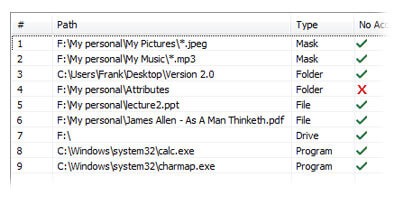
- Put a stop to files from getting into your recycle bin With Folder Protect accidental deletion protection.
- With the Delete-prevention mechanism, you can permit others to view your data while restricting modifications, or copying of that data.
- With delete protection, you’ll never have to worry about accidently deleting important documents.
Prevent File Modification!
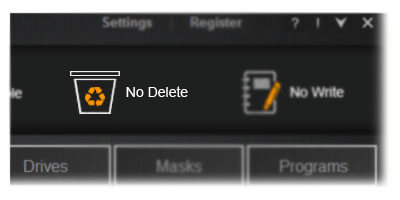
- Folder Protect maximizes data protection and provides you with a robust mechanism to restrict data modification.
- Restrict data tampering by allowing you to Write-protect your information and enable full Data-in-Use security across all Windows OS variants.
- It ensures that no one will be able to make changes to your important files without authorization.
Lock Files, Folders & Drives!
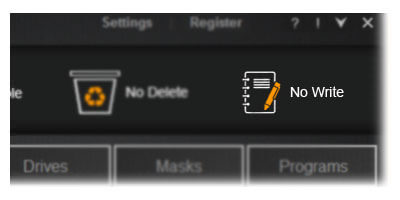
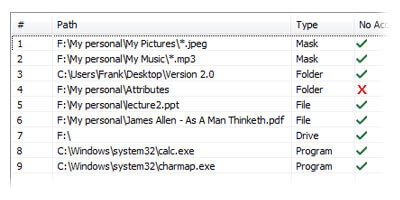
- Folder Protect offers advance Data-in-Use protection by allowing you to password-protect your sensitive files, folders, and drives.
- Set unique security levels for each item to trigger specific behavior in the event of any unfavorable incident.
- Make your private and confidential files, folders, & drives theft-proof, leak-proof, and loss-proof by making your files inaccessible, invisible, and delete-proof.
Customize your Security!
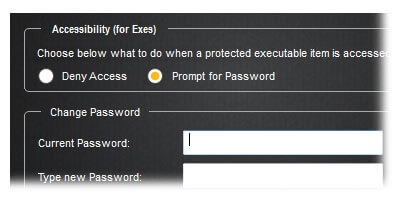
- Customize Folder Protect to provide specific data security with a mix of unique access levels for certain files and folders.
- You can choose to make files inaccessible; accessible but write-protected and / or delete proof; and / or hidden from other users.
- Protecting and un-protecting files is easy, a simple right-click is all it takes to protect/unprotect it.
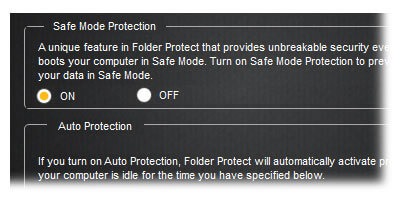
Works in Safe Mode!
- Folder Protect presents a feature not offered in any other file-locking program, setting it a class apart.
- Folder Protect uses Windows Kernel-level protection for complete windows compatibility which also makes it unbreakable.
- Better compatibility mean better data security integrity which means data security cannot be compromised and data can be protected even in safe mode.