Folder Lock - File Lock | File Encryption Software

Folder Lock

History Clean - Privacy Software

History Clean

Macro Keys - Productivity Software

Macro Keys

USB Secure - USB Security Software

USB Secure

Folder Protect - Password Protection Software

Folder Protect

Folder Protect - A New Concept in File Security


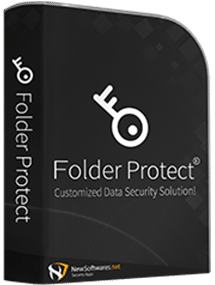
Folder Protect offers 'Data in Use' security for your important files, folders, drive and programs. It lets you choose whether you want to write protect, delete protect, access protect or hide your data. The program also offers Safe Mode locking, stealth mode and hotkeys, auto-protection and password prompt on access of protected item. Folder Protect offers features that sets it apart from other password protection software.

Block Access to those Frequently used Files!


Folder Protect can easily block access to files, folders, drives and programs you choose. With it, others can see your protected data but cannot access, read or view their content. This works great for people who would rather choose not to run Folder Protect every time to protect / unprotect their desired files, but want to simply right-click to protect or unprotect through Windows Explorer Context Menu feature of the program.

Hide Files from Everyone... Except You!


Tired of those peeking eyes, searching your computer to find traces of files you downloaded? If you wish to hide from view certain files, folders, pictures and videos - you can do that too using Folder Protect. If you share your computer with other people or fear someone might investigate and search for certain files on your computer, use this option to keep them wondering.

Let not them Change your Stuff


It's a dream of every businessman to write protect their most important files and folders. Such users want their data modification proof, so that no one can change the content of their files without permission (password). This feature is quite unique and first of its kind because it lets other users access the files but still doesn't allow them to make changes to them.

Prevent files from getting to your digital Trash Can!


Suppose you keep some of your most precious company files, source codes and financial documents on your computer and do not like the hindrance offered by other security programs and firewalls, yet you want your files and folders always readily accessible to you and do not want them ever to get deleted, misplaced, moved or renamed. Using this feature, you can do just that!

  • EnglishFrench
Protect Folders

Versatile Protection

  • • Protects files, folders and drives
  • • Protects popular extensions of choice
  • • Set accessibility options
  • • Protection works even in Safe Mode
Customized Folder Locking

Customized Locking

  • • Allow access but deny deletion
  • • Allow visibility but deny access
  • • Allow loading yet deny modification
  • • Allow modification yet deny deletion
Unbreakable Protection

Prevent Tampering

  • • Make data modification proof
  • • Make data write-protected
  • • Full 'Data in Use' Security
  • • Works on all flavors of Windows
Prevent Deletion

Delete       Proof

  • • Others can see but not steal / modify
  • • Set different levels of security
  • • Lock and hide, at the same time
  • • Run the program in stealth mode
Data in Use protection

Effortless Security

  • • Right-click to lock and unlock
  • • Integrates with Windows Context Menu
  • • Toggle protection and access rights
  • • Protect / Unprotect multiple items
Password Protect Folders

Awesome Features

  • • Set desired time for auto-protection
  • • Full hotkey support in Stealth Mode
  • • Password protected uninstall
  • • Choose accessibility options

What is Folder Protect?


Folder Protect is a new concept in Data Security. It lets you password protect and set different access rights to your files, folders, drives, installed programs and popular extensions. Folder Protect goes beyond normal file locking and encryption by letting you customize your security and choose between making files inaccessible, hidden, delete-proof or write-protected.


The program uses Windows Kernel level protection that even works in Safe Mode ensuring complete security of protected folders. You can lock, hide, access block and even prevent data from being deleted or modified. This can help you give access of your data to others without worrying about it getting deleted or modified.  Folder Protect can’t be uninstalled without a correct password. Furthermore, the program can work in complete stealth and you can choose an idle time when the data gets protected automatically.


Folder Protect offers an easy and uncomplicated way to select security type and make your files inaccessible, hidden, write-protected and delete-proof by choosing No Access, No Visible, No Write and No Delete respectively. You can also set a combination of these protection types according to their needs; e.g. No Delete and No Write can be selected simultaneously to make your files delete-proof and write-protected.


Folder Protect’s Masking Protection is another valuable feature that protects all popular extensions like *.avi, *.gif, *.jpeg, *.bmp, *.mp3, *.wmv, *.mpeg, *.doc, *.mpg, *.jpg, *.pdf, *.psd, *.ai, *.flv, *.xls, *.wma, *.docx, *.ppt, *.pptx, *.htm, *.html, *.php, *.css, *.cpp, *.asp and *.js. It lets you protect all the files of a same format with a single mouse click. Furthermore, Folder Protect’s Context Menu allows you to password protect your files directly from the Windows Explorer without the need to start the program first.


The program offers two options to access protected items; Password Prompt and Deny Access. You can choose either you want Folder Protect to ask for a password when a protected item is accessed or shows a Windows Error message.

Features and Benefits


Data in Use Protection: Folder Protect offers a new concept of ‘Data in Use’ protection. It does not only password protect your data but also let you choose security levels for your data, so that you can choose making your files inaccessible, invisible, delete-proof or write-protected.


Access Protected Items: Customize type of security to make your files and folders accessible but delete-proof and write-protected. You can also access hidden files by giving exact path of those files in RUN, Windows Explorer or by using DOS mode.


Hide Files and Folders: Folder Protect hides your data in such a way that it cannot be viewed, searched for or deleted without knowing the correct path or your password. Hidden data will remain invisible even if you restart your PC or select ‘Show Hidden Files’.


Maximum Protection: Folder Protect uses Windows Kernel level protection that works even in Safe mode ensuring maximum protection of your data.


Make your Data Loss-proof: Never worry about data loss, data theft or privacy breach. Protect your data with Folder Protect.


Make your Data Write-protected: Folder Protect lets you prevent redundant modification of your data by other users. Your data remain write-protected with Folder Protect!


Stealth Mode Feature: This feature helps you maintain your secrecy by hiding all the short cuts of the program from Desktop, Quick Launch, Start Menu, Add/Remove programs item and context menu in Explorer. Run the program with a hotkey of your choice.


Auto-Protection: Activate Auto-protection and set an idle time to get your files automatically protected after that time period.


Compatibility: Folder Protect works on Windows XP 32-bit, XP 64-bit, Vista 32-bit, Vista 64-bit, Windows 7, Windows 2000 and is compatible on all file systems like FAT, FAT32 and NTFS.


Folder Lock Folder Lock - Free Download!