
|
||
|
Desktop Locker |
1 GB |
Unlimited |
|
Dropbox Locker |
1 GB |
Unlimited |
|
Google Drive Locker |
1 GB |
Unlimited |
|
One Drive Locker |
1 GB |
Unlimited |
|
Synced Devices |
2 Devices |
5 Devices |
|
Share Users |

|

|
|
Secrets |
|
|
|
Windows/Mac Apps |
|
|
|
iOS/Android Apps |
|
|
|
Pricing |
$0 |
$39.95 |

Why Folder Lock is a Must-Have for Mac Users
Encrypt Folders
While macOS is known for its robust security, it doesn’t offer advanced file encryption or folder locking features. Folder Lock fills this gap by encrypting and decrypting sensitive files and folders with a single click.
Secure Notes
Store private notes, passwords, and sensitive information in an encrypted vault. Mac users often store sensitive information like financial documents, creative projects, and personal photos. Folder Lock ensures these files are protected from prying eyes, whether you’re at home, in a coffee shop, or collaborating with others.
Military-Grade Encryption
Secure your files with AES 256-bit encryption, the same standard used by governments and militaries worldwide. Encrypt files on-the-fly without worrying about storage limits.
Cross-Platform Sync
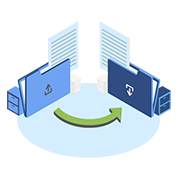
If you use multiple devices (iPhone, iPad, Android or even a Windows PC), Folder Lock ensures your encrypted files are accessible everywhere. Sync your encrypted files across all your devices without compromising security.
Cloud Integration
Cloud keeps your files synced across devices, but it doesn’t encrypt them with your own keys. Folder Lock integrates seamlessly with Dropbox, Google Drive & OneDrive, allowing you to encrypt files before they’re uploaded. This means only you can access them, even if your cloud is compromised.


Share Files Securely
Share encrypted files with colleagues, friends, or family without sharing passwords. Authorized users can access files with their own unique credentials.
Designed for macOS
Folder Lock is built to feel like a native macOS app. It blends perfectly with the minimalist design and intuitive interface that Mac users love. No clunky menus or confusing settings—just straightforward, powerful security.

Available Lockers in Folder Lock 10
Folder Lock 10 offers not just local Lockers to encrypt your files, but now offers encryption across all popular cloud services you use.
Desktop Locker
If you want to encrypt your files locally in macOS, you can use Desktop Locker.


Dropbox Locker
Dropbox users can use Dropbox Locker to encrypt their files. You can use all other Dropbox features alongside as well.
Google Drive Locker
Google Drive users can use Google Drive Locker to encrypt and sync their files in Google Drive.


One Drive Locker
Microsoft lovers who prefer using OneDrive can also now encrypt their files and sync at the same time using OneDrive Locker.
You’re in good hands!
Trusted by large corporations and government institutions with glowing reviews.




Folder Lock for Mac in Action
Encrypt, lock, and sync your files seamlessly on macOS.
Screenshots

What people are saying
Source Credit: https://www.capterra.com/p/146898/Folder-Lock/Being a registered rep it is essential that my data is protected. Folder lock allows me to have multiple protection for my device. It works so well that even Microsoft couldn't "crack" it.

It brings me enough features to protect me even with the free version. Of course, for everyone who wants more, there is a paid version that supports much more. I think the price is very cool for this kind of product and it is worth it. So I pretty recommend the program for all of you that want to be protected at home or even in their business.

Being a legal industry, client data security is utmost along-with proper shredding of the data. So, Folder Lock serves our purpose.


Leon Hides
Rate this Product:
How satisfied were you with your experience?

I have been using Folder Lock several years and have only had two problems, both my fault. The help department was very efficient in sorting these out for me.
❞