
GDPR/HIPAA/PCI: When Encryption Is Expected and How to Prove It (Audit Checklist)
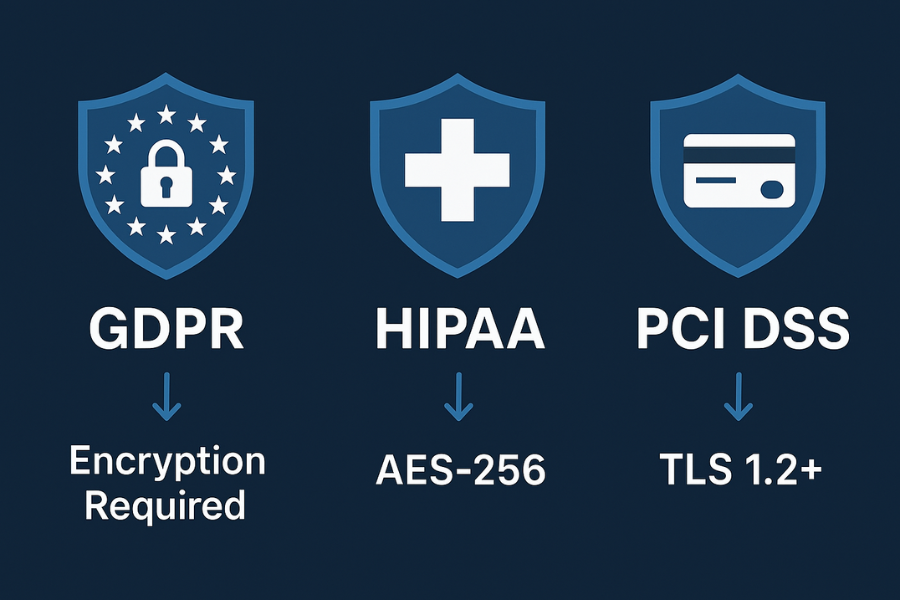
If an organization handles EU citizens, Personal Data (GDPR), Protected Health Information (HIPAA), or Cardholder Data (PCI DSS), encryption is mandatory or strongly expected as the foundational “appropriate technical measure.” Failure to implement strong, auditable, and managed AES-256 encryption at rest and TLS 1.2 or higher in transit is the primary cause of multi-million dollar regulatory fines. Compliance hinges less on the choice of algorithm and more on the auditable management of the cryptographic keys and the secure disposal of the underlying media.
The Compliance Hierarchy: When Encryption Is Never Optional
For any business operating internationally or dealing with sensitive consumer information, data protection regulations form a hierarchy of minimum standards. A hybrid organization, such as a healthcare provider accepting credit cards, must always adhere to the strictest requirements defined across GDPR, HIPAA, and PCI DSS simultaneously.
Understanding Regulatory Expectations: Mandatory vs. Addressable
The technical requirement for encryption varies significantly across jurisdictions, but the risk of non-compliance remains uniformly high. Major settlements and penalties frequently stem from the failure to encrypt data, particularly on mobile devices or in transit.
GDPR (General Data Protection Regulation)
The General Data Protection Regulation (GDPR) lists encryption in Article 32 as a core technical and organizational measure required for protecting Personal Identifiable Information (PII). While the regulation does not use the word “mandatory,” it requires organizations to implement “appropriate security” based on a risk assessment. When a breach occurs, the failure to encrypt PII demonstrates a clear lack of “appropriate security” and draws maximum administrative fines, which can reach 4% of global annual turnover or 20 million Euros. Large penalties, such as the €91 million fine levied against Meta Platforms Ireland, have specifically cited inadequate password security and storing user passwords in plaintext without proper encryption.
HIPAA (Health Insurance Portability and Accountability Act)
Under the HIPAA Security Rule, the encryption of electronic Protected Health Information (ePHI) is categorized as an Addressable Implementation Specification. This legal distinction means that if an organization chooses not to use encryption, it must document why encryption is not “reasonable and appropriate” and implement an effective alternative. However, the Office for Civil Rights (OCR) has been unequivocal in enforcement actions that failure to encrypt mobile devices or laptops is a direct path to liability. Notable settlements, including a $3 million resolution, resulted directly from the loss of a flash drive or laptop containing unencrypted ePHI. Therefore, while technically addressable, encryption is practically mandatory for devices storing or accessing ePHI. The minimum technical standard for ePHI is AES 128-bit encryption, but industry guidance strongly recommends adopting AES 256-bit encryption for increased security.
PCI DSS v4.0 (Payment Card Industry Data Security Standard)
The Payment Card Industry Data Security Standard (PCI DSS) is the most prescriptive of the three frameworks regarding cryptography. Encryption is explicitly mandatory for stored Cardholder Data (Requirement 3) and for transmission across open, public networks (Requirement 4). The standard dictates specific, high-strength controls, requiring Transport Layer Security (TLS) version 1.2 or higher and the use of authenticated encryption with associated data (AEAD) ciphers, such as AES-GCM, by deadlines specified in the standard. The 2017 Equifax breach, which exposed 147 million people, resulted in a $425 million fine, highlighting the catastrophic liability when cardholder data protection fails.
Table 1: Regulatory Encryption Requirements (Summary)
| Regulation | Data At Rest (DAR) Mandate | Data In Transit (DIT) Mandate | Key Management Requirement |
| HIPAA (ePHI) | Addressable (AES-256 recommended standard) | Required (TLS 1.2+ recommended) | Policies for key destruction and renewal (Security Rule) |
| GDPR (PII) | Expected (Risk-based, AES-256 common) | Required (Appropriate technical measures) | Regular key lifecycle reviews and documented KMP |
| PCI DSS (Cardholder Data) | Required (Protect stored data via encryption, hashing, or truncation) | Required (Strong cryptography, TLS 1.2+) | Explicit rotation per cryptoperiod (Requirement 3.6.4) |
Establishing Universal Strong Cryptography Proof
When selecting encryption technology, organizations often benefit from adopting cryptographic modules that meet the highest governmental standards to satisfy diverse regulatory bodies. The Federal Information Processing Standard (FIPS) 140-2 is the U.S. and Canadian benchmark for validating the effectiveness of cryptographic hardware and software.
Although FIPS validation is not universally mandatory for all private HIPAA or GDPR entities, it is explicitly required for federal agencies and their contractors (FISMA). Crucially, achieving FIPS 140-2 certification (Level 3 is often considered optimal for tamper resistance) satisfies the technical depth and documentation requirements of both HIPAA and PCI DSS simultaneously. By selecting tools and hardware with FIPS validation, organizations establish a baseline of “strong cryptography” that is readily defensible during any external audit. A strong cryptographic implementation combines a complex process, a robust mathematical algorithm (such as AES, Twofish, or RSA), and a lengthy, strong encryption key.
Technical Implementation: Deploying Audit-Ready Encryption
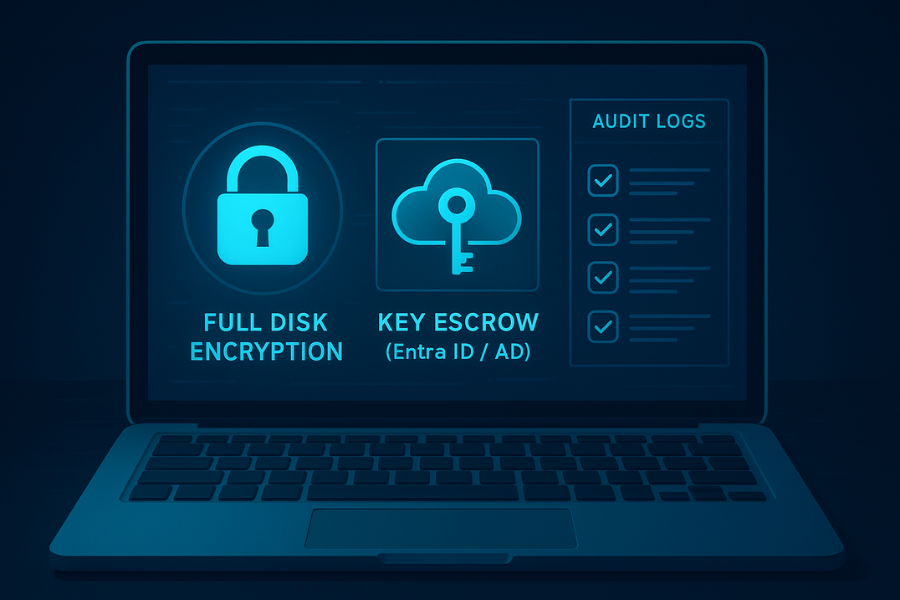
The application of encryption depends entirely on the data’s state: Full Disk Encryption (FDE) protects endpoints, while container or file encryption secures specific datasets or shared files. Choosing the right tool requires balancing security, cross-platform portability, and auditable key management.
Table 2: File/Disk Encryption Tool Comparison and Trade-Offs
| Tool | Primary Use Case | Cross-Platform | Key Management & Recovery | Auditability/Learning Curve |
| BitLocker | Full Disk (Windows OS drive) | No (Windows only) | Excellent (Native Entra ID/AD key escrow) | Low setup time, High audit readiness |
| VeraCrypt | File Container/Non-System Disk | Yes (Windows, Mac, Linux) | High (Customizable KDF/PIM, Plausible Deniability) | Steep learning curve, High customization risk |
| 7-Zip | File Archiving/Sharing | Yes (Windows, Linux, macOS) | Low (Password only, no key escrow) | Very Low, depends heavily on password strength |
Full Disk Encryption (FDE): Endpoint Management
FDE is the standard requirement for securing laptops, tablets, and other portable devices that store sensitive data, mitigating the high risk of data breaches resulting from device loss or theft. BitLocker, the native Windows solution, is widely used, but its audit compliance relies entirely on centralized key management.
Overview 1: Audit-Ready Full Disk Encryption (FDE) Key Escrow
A major point of audit failure is the encryption of a machine without securing the recovery key. Auditable key management requires storing the recovery key outside the device in a secure, audited vault, a process known as key escrow. If the device uses a Trusted Platform Module (TPM), BitLocker can utilize it for hardware binding and system integrity verification.
Prerequisites and Risk Mitigation: Before deploying FDE, the organization must verify device support for a TPM chip and establish a secure, verified recovery plan. Data loss is irreversible if the key is lost and no escrow mechanism is in place.
Step-by-Step Key Escrow (BitLocker for Windows):
- GPO/Intune Enforcement: Administrators must use centralized management tools, such as Group Policy Objects (GPO) or Intune, to enforce the use of AES-256 encryption. Within the Group Policy Editor (gpedit.msc), navigate to Computer Configuration/Administrative Templates/Windows Components/BitLocker Drive Encryption/Operating System Drives. Here, administrators can require additional authentication at startup and allow BitLocker usage even without a compatible TPM (though this sacrifices system integrity verification).
- Verify Entra ID/AD Escrow: The management policy must be configured to automatically escrow the recovery key into Entra ID (Azure AD) or Active Directory. The technical proof point for auditors is confirming the existence of the ms-MSRepositoryKey attribute for the specific device object in the directory service.
- Audit Key Access: Auditing access to recovery keys is critical for compliance demonstration. Within Entra ID Audit Logs, any self-service key access performed by an end-user via the Company Portal must be logged under the Key Management category, specifically as a “Read BitLocker key” activity. This log verifies that policies are in place to track access to the cryptographic keys, satisfying GDPR and HIPAA requirements for controlled data access.
- Self-Encrypting Drive (SED) Management: If the device utilizes a Self-Encrypting Drive (SED), verification is necessary to confirm that the FDE tool is correctly managing the hardware encryption. Some enterprise FDE installers (like Trend Micro) may require the FORCESOFTWARE parameter during installation if the SED was previously managed by a different system, such as Windows BitLocker, to avoid preboot conflicts.
Container Encryption: Highest Security Customization
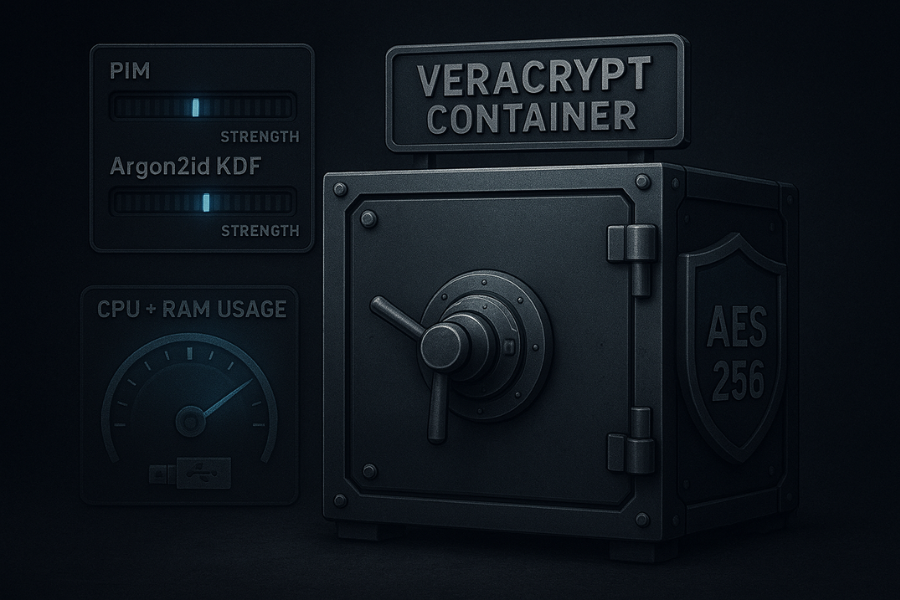
For securing specific, highly sensitive data containers, such as ePHI archives or internal project files that must be shared across different operating systems (Windows, Mac, Linux), VeraCrypt is the leading open-source solution. It allows for customization beyond native FDE tools, which is crucial for resisting sophisticated, parallelized brute-force attacks.
Overview 2: Creating a Compliance-Grade VeraCrypt Container
The security of a VeraCrypt container relies heavily on the Key Derivation Function (KDF) used to translate the user password into the actual encryption key. The goal of the KDF is to introduce massive computational delay to frustrate attackers.
Recommended Settings and KDF Selection:
The organization should select AES (Advanced Encryption Standard) as the encryption algorithm, which is universally accepted. The most critical factor is the KDF. Argon2id is generally recommended for new volumes, as it is designed to be memory-hard, requiring large amounts of RAM and processing time, offering superior brute-force resistance compared to older methods like PBKDF2.
KDF Tuning using the Personal Iterations Multiplier (PIM):
The Personal Iterations Multiplier (PIM) is a parameter unique to VeraCrypt that controls the computational work required to mount the volume. Without proper KDF tuning, even a long, complex password might be cracked in months using modern parallel hardware.
For standard non-system volumes using PBKDF2-HMAC (e.g., SHA-512), the default iteration count is 500,000 (PIM=485). For the newer Argon2id algorithm, the default settings are equivalent to PIM=12 (requiring 416 MiB of memory and 6 iterations). To dramatically increase brute-force resistance, the organization must increase the Argon2id PIM value. The memory cost caps at 1024 MiB when PIM reaches 31 or higher. Increasing the PIM beyond 31 further increases the time cost (iterations). When selecting a PIM value, the goal is to set the multiplier such that the mounting delay is noticeable (1-2 seconds) but acceptable to the user, ensuring that massive computational effort is required to decrypt the volume header.
Verification (AES-NI):
To ensure that high PIM settings do not render the system unusable, organizations must verify that the VeraCrypt implementation is utilizing hardware acceleration. Modern Intel processors support AES-NI instructions, which drastically accelerate the AES encryption/decryption rounds. This feature can usually be checked in VeraCrypt’s Settings > Performance/Driver Configuration.
Encrypted File Sharing: Avoiding Metadata Leakage
When individual files containing sensitive data (especially PCI or HIPAA records) must be shared securely, file archiving tools like 7-Zip provide a straightforward method for strong AES-256 protection. However, this method introduces a subtle compliance risk often overlooked, metadata leakage.
The Metadata Leak Gotcha: Many standard archive tools encrypt the file contents but leave the metadata (such as filenames and directory structure) visible in plaintext. If an attacker intercepts the archive, they may gain PII or ePHI simply from reading the file structure, which is itself a data leak under GDPR.
Overview 3: Encrypted File Sharing (7-Zip)
Mandatory Setting: Encrypt Filenames:
- Add to Archive: Right-click the target file or folder and select 7-Zip > Add to Archive…
- Set Password: Enter a strong password or passphrase. Passwords should be long (minimum 14-16 characters) to resist dictionary and brute-force attacks.
- Configure Algorithm: Set Encryption method to AES-256.
- Critical Step: Under the Encryption section, the user must check the box labeled “Encrypt file names”. This ensures that the archive contents are completely opaque to anyone without the decryption key.
- Secure Format: The archive file should use the .7z format, which is the native format for 7-Zip,s strongest AES-256 implementation.
Policy for Secure Sharing (Split Knowledge):
For compliance, the organization must enforce a policy of split knowledge: the encrypted file and the corresponding password or key must never be transmitted via the same communication channel (e.g., email). The preferred method is to transmit the file via a secure, password-protected link with a strict expiration date, and transmit the password via a separate, end-to-end encrypted channel, such as Signal or a voice call.
Troubleshooting Encryption Failures
When sensitive data decryption fails, rapid diagnosis is critical to avoid downtime and data loss.
| Symptom / Tool | Exact Error String | Root Cause (Ranked) | Fix/Resolution |
| VeraCrypt | “Incorrect password or not a VeraCrypt volume” | 1. Volume header damage (hardware/software issue). 2. Incorrect KDF/PIM specified. | Use Tools > Restore Volume Header to restore from the embedded backup copy. If needed, mount the volume and use chkdsk (Windows filesystem repair tool) after making a backup copy. |
| 7-Zip | “CRC Failed” or “Data Error” during extraction | 1. Archive corruption during transfer or download. 2. Bad disk sectors where the archive is stored. | Re-download the file. Update 7-Zip to the latest version. If corruption persists, try an alternative extraction tool. |
| VeraCrypt | Cannot mount volume, “System cannot find the file specified” | Drive letter conflict or general mounting issue in Windows OS. | Run cmd as Administrator and type mountvol /R then mountvol /E to reinitialize volume mount points, then retry mounting. |
The Audit Trail: Proving Compliance Through Documentation
Encryption without auditable key management is a technical failure in the eyes of regulators. Auditors demand clear, documented proof that security controls are consistently enforced and monitored.
Requirement: Cryptographic Key Management Policies (KMP)
Every regulated organization must maintain detailed Key Management Procedures (KMP) documented in writing. These policies must protect cryptographic keys against disclosure and misuse, satisfying requirements across PCI DSS, HIPAA, and GDPR.
Key Rotation
PCI DSS is highly specific, requiring that cryptographic keys be changed “at the end of their defined cryptoperiod” (Requirement 3.6.4). Key rotation is vital because it limits the amount of data protected by a single key, reducing exposure if that key is compromised, and defending against certain catastrophic cryptographic failures (e.g., in AES GCM mode).
For high-value PII/PHI or Cardholder Data encryption keys (Data-Encrypting Keys, DEKs), industry best practice dictates establishing a mandatory rotation schedule, typically every 90 days. Organizations should prioritize automation for key rotation, especially for Cloud Key Management Service (KMS) keys, where rotation intervals can often be set between 90 and 365 days. Proof is provided via detailed logs showing the date of key generation, rotation, and retirement.
Secure Key Storage and Access Control
Keys must never be stored alongside the data they protect. Poor key management is a major vulnerability. Organizations must use secure storage mechanisms that enforce physical and logical separation.
Hardware Security Modules (HSMs) or FIPS 140-2 validated key vaults are necessary for storing Master Keys and Key-Encrypting Keys (KEKs). Access to these key vaults must be restricted to authorized personnel using Multi-Factor Authentication (MFA). FIDO security keys (such as YubiKey), which utilize public key cryptography, or Time-Based One-Time Password (TOTP) codes, provide the necessary hardware-backed MFA required for vault access.
The Compliance Log Checklist: What Auditors Demand
Auditors review implementation logs to confirm that written policies are actively executed and monitored.
Table 4: Audit Evidence Checklist for Encryption Proof
| Audit Evidence Component | Regulatory Context | Proof of Work Documentation |
| FDE Provisioning Log | HIPAA, GDPR (Endpoint Security) | System Configuration Logs (e.g., BitLocker status reports, Intune/GPO deployment logs). Must show machine ID and applied AES-256 cipher. |
| Key Access Audit Log | HIPAA, GDPR (Risk Management) | Entra ID/Active Directory Audit Logs tracking who accessed BitLocker recovery keys, when, and for which device (logged as “Read BitLocker key”). |
| Database TDE Status | HIPAA (ePHI at Rest) | SQL Server Audit logs tracking DATABASE_OBJECT_CHANGE_GROUP activity to prove Transparent Data Encryption (TDE) is enabled and maintained. |
| Data-in-Transit Ciphers | PCI DSS, HIPAA, GDPR | Network scanner reports verifying TLS 1.2 or 1.3 usage, showing specific AEAD cipher suites (e.g., TLS_AES_256_GCM_SHA384) are enabled and weak ciphers (RC4, 3DES, SHA1) are disabled. |
| Non-Production Encryption | PCI DSS, GDPR (Data Minimization) | Logs showing non-production environments (test/staging) use masked or fully encrypted data sets. Proof of cryptographic separation from production systems. |
Mitigating the Backup Audit Failure
A critical area where encryption policies fail is on secondary storage and backups. Encrypted data (ePHI, PII) is often found unencrypted in administrative folders, forgotten file server snapshots, or, most commonly, in cloud backup storage. These locations frequently fall outside the scope of primary FDE or database encryption solutions, creating unmanaged key vulnerabilities.
To correct this vulnerability, an audit policy must mandate regular, automated discovery scans (such as SecurityMetrics PANscan for PCI environments) to identify sensitive data residing in unexpected locations. Furthermore, policies must require that all backup media, whether cloud-based or physical tape, is encrypted before it leaves the primary environment. For databases like SQL Server, Transparent Data Encryption (TDE) should be enabled to encrypt the database and its backups, and SQL Server Audit should be configured to track its status.
Secure Disposal: The Final Compliance Check
Data destruction is the mandated final step of the data lifecycle under all three regulations. Simple file deletion is inadequate for secure disposal because the operating system only removes the file pointer from the index (Master File Table/File Allocation Table), leaving the underlying data clusters recoverable by forensic tools like Recuva or Recoverit. This residual, recoverable data is known as data remanence.
Data Sanitization Methods
Data destruction methodology must be tailored to the storage hardware (HDD vs. SSD) due to fundamental differences in how the media manages data.
Table 5: Secure Data Destruction Methods (Media Type Specific)
| Media Type | Recommended Erasure Standard | Methodology | Audit Proof/Verification |
| Magnetic Hard Drive (HDD) | DoD 5220.22-M (3-Pass) | Overwrites data with specific patterns (e.g., 0s, 1s, random) in three passes. | Software verification log demonstrating successful overwrite passes. |
| Solid State Drive (SSD/NVMe) | Cryptographic Erase / ATA Sanitize | Internal firmware command deletes the encryption key, rendering data immediately indecipherable and unrecoverable. | Vendor-specific tool log (e.g., Samsung Magician) or Certificate of Sanitization. |
| Highly Sensitive Physical Media | Physical Destruction (Shredding/Crushing) | Renders the media inoperable, typically reducing particle size (e.g., 4mm for SSD media). | Visual confirmation, Destruction Certificate from certified ITAD vendor. |
The SSD Wiping Paradox
Traditional multi-pass overwriting standards, such as DoD 5220.22-M (three passes) or the legacy Gutmann method (35 passes), were designed for magnetic media. When these methods are applied to Solid State Drives (SSDs), they are both inefficient and often ineffective. The drive,s Flash Translation Layer (FTL) intercepts the erase command and redirects the write requests to different, unused blocks for wear leveling, leaving the original data blocks intact. Furthermore, the complexity of the Gutmann method leads to impractical wipe times, a 1TB drive could take nearly two weeks to complete via USB 2.0.
For modern encrypted SSDs, the best and fastest compliance method is Cryptographic Erase. This relies on the drive,s internal hardware encryption capability to securely delete the encryption key, instantaneously destroying the user,s ability to decipher the stored data without harming the drive,s lifespan. For unencrypted SSDs, the ATA Sanitize command is the modern, preferred internal method.
Securely Wiping Windows Free Space (SDelete)
To achieve full regulatory compliance, organizations must eliminate data remanence, traces of previously deleted sensitive files left in unallocated disk space. This is particularly critical after data has been copied into an encrypted container, as the unencrypted original traces must be removed. Microsoft,s official Sysinternals utility, SDelete (Secure Delete), is the approved tool for this purpose in Windows environments.
Overview 4: Secure Free Space Wipe using SDelete
SDelete implements the Department of Defense clearing and sanitizing standard (DOD 5220.22-M).
Prerequisites: Download SDelete from Microsoft Sysinternals. The utility must be run from an elevated Command Prompt or PowerShell session (Run as Administrator).
Step-by-Step Secure Free Space Wipe:
- Download and Unzip: Place sdelete.exe in an easily accessible folder.
- Open Elevated Command Prompt: Start Command Prompt as Administrator.
- Execute Wipe Command: Run the command using the -c flag (clean free space) and the -p flag (specifies number of overwrite passes, 3 being the DoD standard default).
- Syntax (Example for C: Drive, 3 Passes):
sdelete.exe -c -p 3 C:Note: SDelete works by creating large temporary files that fill and overwrite the free space on the target drive, ensuring that residual data is destroyed.
Troubleshooting SDelete Failures:
When SDelete fails, it often presents cryptic error codes. The most common technical issue is related to system environment variables.
| Symptom / Tool | Exact Error String | Root Cause (Ranked) | Fix/Resolution |
| SDelete | “Could not create free-space cleanup file” | 1. Missing or invalid TEMP environment variable directory. 2. Not running with Administrator privileges. | Check the TEMP variable (SET TEMP in CMD). Manually recreate the missing directory path referenced by the variable (e.g., C:\Users\Username\AppData\Local\Temp\1). Run as Administrator. |
| SDelete | Program finishes instantly but reports successful completion | Memory allocation failure was encountered but the program logic was flawed, skipping data writing while reporting success. | Check resource utilization (RAM/Disk space). Rerun the command and actively monitor the drive for temporary file creation, ensuring the process executes properly. |
Compliance Q&A: Frequently Asked Questions
Is AES-256 mandatory for GDPR and HIPAA compliance?
No, neither regulation explicitly mandates AES-256. However, it is the industry standard for strong encryption, and the minimum standard recommended by NIST for ePHI protection. Adopting AES-256 helps an organization demonstrate “appropriate technical measures.”
Why is encrypting metadata (file names) so important for compliance?
If a file container is intercepted, but the file names are unencrypted (a common default), the metadata itself can reveal PII or ePHI (e.g., patient_financial_data_Q4.pdf). GDPR and HIPAA protect against metadata leakage, requiring the “Encrypt file names” option in archiving tools.
If I lose my BitLocker key, is the data gone forever?
No, if proper key escrow was configured. If the recovery key was successfully backed up to the organization,s Entra ID (Azure AD) or Active Directory, an authorized administrator can retrieve it through the audited portal. Data is lost only if escrow was never successfully configured.
Should I use the Gutmann method or DoD 5220.22-M for data destruction?
The DoD 5220.22-M standard (3 passes) is recommended for magnetic hard drives (HDDs). The Gutmann method (35 passes) is impractically slow, provides little added security benefit on modern hardware, and actively harms the lifespan of SSDs.
How long should our organization rotate database encryption keys (DEKs)?
PCI DSS is the most specific, requiring rotation at the end of the defined cryptoperiod. For high-value PII or Cardholder Data at rest, key rotation should occur at least every 90 days, or immediately following staff turnover or suspicion of compromise.
What is PIM in VeraCrypt, and why should I increase it?
PIM (Personal Iterations Multiplier) controls the number of iterations or memory usage of the Key Derivation Function (KDF) used to process your password. Increasing the PIM dramatically slows down attempts by attackers using powerful GPUs to brute-force the master password, thereby increasing long-term security resistance.
Does the TRIM command affect file shredding on SSDs?
Yes. TRIM informs the SSD,s controller which blocks are ready for internal erasure. Traditional file-shredding software attempting to overwrite specific blocks is largely ineffective because the drive,s firmware may ignore or redirect the overwrite request.
Can simple password protection replace encryption under GDPR?
No. Password protection merely requires authentication to access plaintext data. If the data is intercepted or the system is bypassed (e.g., via social engineering or a brute-force attack), the content is immediately readable. Encryption renders intercepted data unreadable (ciphertext) without the corresponding key.
What audit logs prove we are protecting key access?
Auditors require logs detailing who accessed the key, the timestamp, and the outcome, specifically targeting activities within Hardware Security Modules (HSMs) or Cloud Key Vaults. For BitLocker, this includes Entra ID audit logs of any “Read BitLocker key” activity.
What is a “hidden volume” in VeraCrypt used for in a compliance context?
A hidden volume offers plausible deniability, allowing the user to reveal a decoy outer volume password while the inner, more sensitive hidden volume remains protected. This requires securely wiping the free space of the outer volume afterward using a tool like SDelete.
Why do auditors care about encrypting data in development and test environments?
Non-production environments often utilize masked or copied versions of real production data (PII/ePHI). Failure to mask or encrypt this data means a breach in the dev environment still constitutes a regulatory violation (GDPR/HIPAA).
If a device containing ePHI is lost, but was fully encrypted, is it still a HIPAA breach?
If the device was encrypted using a NIST-approved standard (like AES-256) and the encryption key was managed separately from the device, the loss typically does not constitute a reportable breach under HIPAA because the data is presumed inaccessible.
What TLS version is required for PCI DSS data in transit?
PCI DSS requires strong cryptography, specifying TLS 1.2 or higher (with TLS 1.3 being the modern standard) and the use of AEAD ciphers (e.g., AES-GCM). Older protocols like SSL and early TLS versions must be disabled.
What are the recovery options if a VeraCrypt volume won’t mount?
First, check for simple mounting issues using the Windows mountvol /R command. If that fails, the primary solution is to use the built-in VeraCrypt tool to restore the volume header from the backup copy stored within the container.
Is physical shredding mandatory for SSDs containing sensitive data?
While Cryptographic Erase is technologically sufficient for encrypted SSDs, physical destruction (shredding or crushing) is often recommended for maximum assurance, especially for highly sensitive PII/ePHI. HIPAA approves of media destruction compliant with specific guidelines.
Conclusion
Encryption is no longer a best practice, it is a non-negotiable compliance mandate across all major data protection frameworks including GDPR, HIPAA, and PCI DSS. The primary difference between a simple data loss incident and a multi-million dollar regulatory fine is the organization’s ability to demonstrate the effective, auditable management of cryptographic keys, the consistent application of strong algorithms like AES-256, and the secure disposal of all underlying media. By following this comprehensive checklist, organizations can move beyond mere implementation to establish a robust audit trail that effectively proves “appropriate technical measures” have been deployed, mitigating legal liability and safeguarding sensitive data at every stage of its lifecycle.