
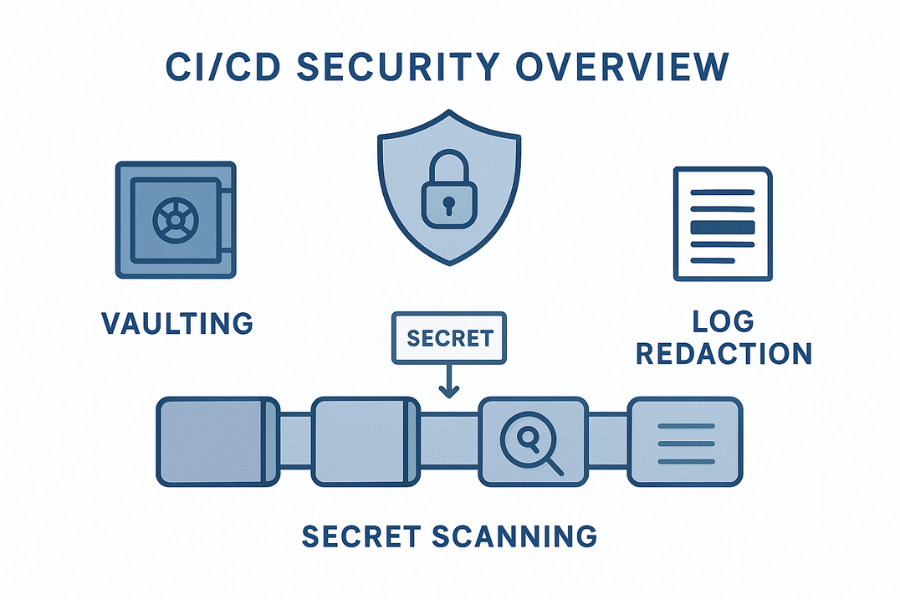
Welcome. This detailed resource provides a definitive strategy for securing secrets throughout the CI/CD pipeline. By focusing on centralized vaulting, active secret scanning, and rigorous log redaction, you can eliminate hard-coded credentials and secure operational data. We include practical steps for leveraging Folder Lock, USB Secure, and Cloud Secure from Newsoftwares.net to protect local copies of keys and reports, ensuring maximum security and development convenience.
Secure CI/CD Secrets: Vaulting, Scanning, And Redaction Playbook
Direct Answer
You can keep secrets safe in CI/CD by centralising them in a vault, scanning everything that touches your pipelines, and scrubbing secrets from logs and build artifacts before anyone can copy them.
Gap Statement
Most content on CI/CD secrets stops at “store them in environment variables” and walks away.
What usually stays missing:
- How to plug a real vault into GitHub Actions, GitLab CI, Jenkins, or CircleCI without turning pipelines into puzzles
- How to run secret scanning on repos, branches, artifacts, and container images as one system, not five separate scripts
- How to make build-time redaction actually work when logs transform secrets, stream JSON, or forward everything to a SIEM
- How to protect exported vault data, .env files, and pipeline backups sitting on developer laptops or USB drives, where many real leaks start
This playbook closes that gap with one job:
Job: run CI/CD without ever committing, logging, or exporting secrets in plain form.
TLDR: What You Should Do First
- Put every CI/CD secret in a central vault, then inject it just in time, never from Git.
- Add secret scanning to repos and pipelines using tools such as TruffleHog or Gitleaks plus built-in scanners.
- Turn on build-time redaction and fix jobs that echo or transform secrets in logs and artifacts.
- Store vault exports, .env files, and backup keys inside encrypted containers using NewSoftwares Folder Lock and related tools so a stolen laptop is not a breach.
1. Mental Model: Secrets Through The CI/CD Pipeline
Think about secrets flowing through four stages.
- Source stage: Secrets live in a vault or secret manager, not in Git. Vault may be HashiCorp Vault, AWS Secrets Manager, GitHub Actions encrypted secrets, or GitLab CI variables.
- Pipeline stage: CI pulls short lived secrets into memory, uses them in build or test steps, and drops them. Scripts treat them as toxic waste: never echo, never write to disk, never send to third party services.
- Scanning stage: Repos, branches, merge requests, job logs, artifacts, and container images are scanned for hard coded secrets. Tools such as TruffleHog and Gitleaks run both locally and in CI.
- Storage stage: Backups, exports, and debug bundles are stored in encrypted containers like Folder Lock lockers or encrypted USB drives, not in loose folders.
If any secret escapes these lanes into Git, logs, or screenshots, scanning and redaction should catch it early.
2. Prerequisites And Safety
What You Need In Place
- One or more CI/CD platforms
GitHub Actions, GitLab CI, Jenkins, CircleCI, Azure DevOps, or similar. - At least one secret manager
HashiCorp Vault, cloud secret managers, or the CI platform’s own encrypted store. - A central logging and metrics system where you can see CI logs and pipeline events.
- A staging project where you can break builds without upsetting customers.
Safety Checks Before Changes
- Export a list of existing CI environment variables and credentials.
- Take snapshots or backup of current pipeline configs.
- Confirm you can roll back pipeline definitions if new checks become too strict.
- Tell the team you are about to start failing builds for leaks.
3. Step 1: Inventory Secrets In Your Pipelines
Action
Build a small table with three columns:
- Secret name or usage, like
DB_PASSWORDorNPM_TOKEN. - Where it lives now, like
.env, Jenkins credential store, GitHub Actions secret, plain config. - Where it flows, like unit tests, container build, deploy job.
You can scrape this from:
- CI config files such as
.github/workflows,.gitlab-ci.yml,Jenkinsfile. - Environment variable dumps from non production agents.
- Repo history using TruffleHog or Gitleaks to find past leaks.
Gotcha
Secrets often appear in unexpected places:
- Old
curlcommands in README files. - Ignore patterns that exclude
.envfrom Git but not from Docker builds. - Legacy jobs that still use plain text password parameters.
4. Step 2: Centralise Secrets With Vaulting
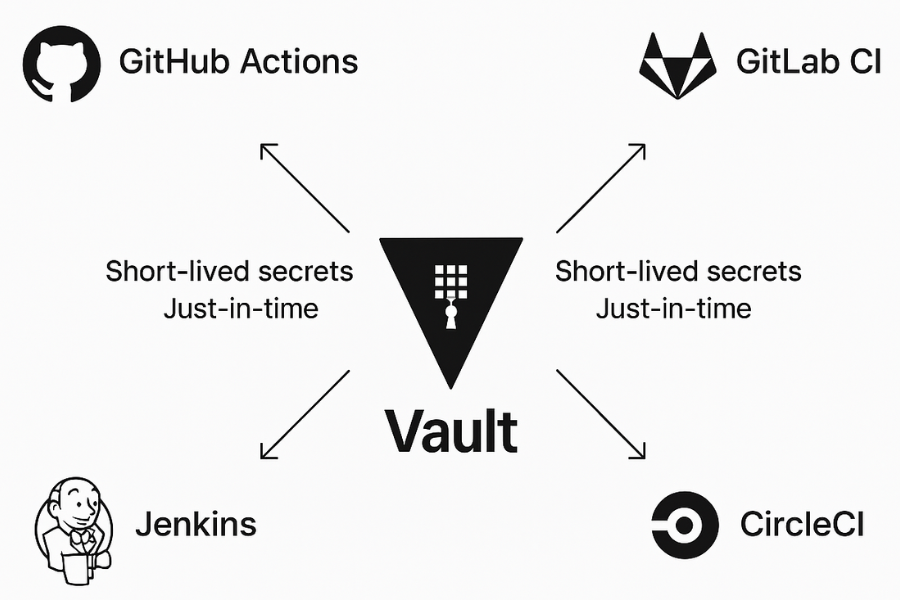
The core rule: there is one source of truth for each secret.
Decide On A Vault Pattern
Common options:
- Dedicated platform such as HashiCorp Vault, often with dynamic secrets.
- Cloud secret managers such as AWS Secrets Manager or Azure Key Vault.
- CI platform stores, like GitHub Actions secrets and GitLab CI variables.
- Encrypted .env vaults with a single decryption key injected into CI.
Pick one primary for each environment. Avoid a mix of four different stores that drift over time.
Move Secrets Out Of Git And Config Files
Action
For each secret that appears in a repo:
- Replace hard coded values with references, like
DB_PASSWORDorVAULT_TOKEN. - Store the secret value in the chosen vault or CI secret store.
- Rotate the old secret if it was ever in Git.
HashiCorp’s patterns show how to fetch Vault secrets from GitHub Actions via short lived tokens and environment injection.
Gotcha
Many teams migrate only “big” secrets and forget small ones like webhooks or Slack tokens. Attackers love those too.
5. Step 3: Wire The Vault Into CI/CD
Now make CI consume secrets just in time.
GitHub Actions
- Store secrets at repo, environment, or organisation level.
- Reference them as
${{ secrets.MY_SECRET }}inside workflow steps. - For Vault integration, use OIDC or a short lived token to read secrets during the job, as shown in HashiCorp’s validated patterns.
GitLab CI
- Use masked variables and protected variables for production.
- Keep secret detection enabled on merge requests so leaks get blocked early.
Jenkins, CircleCI, Others
- Use credential stores and parameter masking.
- Pull from Vault using plugins or small wrappers around CLI commands.
Action
For each pipeline:
- Replace secret literals with env references.
- Fetch secrets from the vault at job start or step start.
- Drop secrets from environment after use when the platform allows.
Gotcha
Log redaction often stops at environment values that match secrets exactly. If you transform secrets in scripts, masking may fail. You will fix that in the redaction step.
6. Step 4: Add Secret Scanning Across The SDLC
Secret scanning is automated inspection of code, configs, commits, logs, and sometimes artifacts to find misplaced credentials.
Tooling Choices
Open source and platform tools:
- TruffleHog for deep scan across repos, logs, and object stores.
- Gitleaks for fast scanning that fits nicely into CI pipelines.
- GitLab secret detection on merge requests and CI jobs.
- Git secret scanners that aggregate several engines.
Where To Scan
- Developers’ commits and branches before they hit main.
- Pull or merge requests as part of CI.
- Mainline and long lived branches regularly.
- Build artifacts and images when possible, especially for container registries.
Action
Pick at least one scanner and hook it into:
- Pre commit or pre push hooks for local use.
- CI jobs that fail when new secrets appear.
- A periodic job that scans the full organisation repos.
Gotcha
Scanning can produce many false positives. Start in report only mode, tune rules, then flip to blocking mode once your false positive rate is low enough.
7. Step 5: Build-Time Redaction And Logging Hygiene
At this point, secrets mostly live in the vault and appear in memory only. Now you fix logs and artifacts.
Understand How Your Platform Redacts
Many CI systems try to mask secrets in logs, but they rely on exact string matches. If a job transforms or wraps a secret, masking can fail.
Examples:
- GitHub warns that secrets inside structured blobs such as JSON can slip past redaction, and that secrets changed by tools may not get masked.
- Research from Truffle Security shows that CI jobs that reverse, encode, or format tokens can bypass masking and leak secrets in logs.
Redaction Rules
Action
Update your CI jobs to:
- Never print secret values on purpose.
- Use platform specific masking for variables.
- Avoid transforming secrets before logging, even for debug.
- Strip secrets from test output, stack traces, and shell traces.
In shell scripts:
- Avoid
set -xon steps that may touch secrets. - Use safe wrappers that filter environment dumps.
Gotcha
Third party actions or shared pipeline templates may still log secrets. Review them like you review dependencies.
8. Step 6: Protect Offline Secrets With NewSoftwares Tools
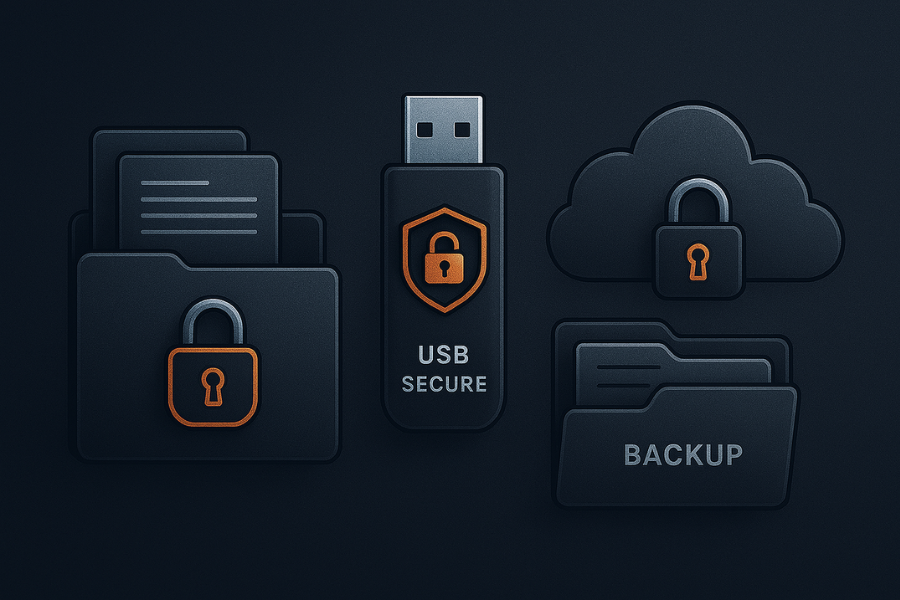
Even with perfect pipelines, secrets still exist in exports, key files, and backups on endpoints. That is where NewSoftwares products help.
Folder Lock For Encrypted Lockers
Folder Lock is a mature data security product that locks files and folders using AES 256 encryption and virtual drive style lockers that grow with your data. It also supports secure cloud backup and cross device sync.
Use Folder Lock to store:
- Vault unseal keys and root tokens exported for break glass scenarios.
- CI/CD signing keys, SSH keys, and service account key files.
- Offline copies of .env vaults or encrypted configuration bundles.
- Forensic exports of secret scanning results and redacted logs.
Practical flow:
- Create a Folder Lock locker named
ci-secrets-root. - Place key files, export archives, and sensitive config backups inside.
- Enable cloud backup of that locker through Folder Lock for offsite safety.
- Share the locker password only through an end to end encrypted channel.
USB Secure For Portable Root Of Trust
When you keep offline copies of master keys on removable drives, USB Secure encrypts those drives and prompts for a password when they are plugged in. That keeps a lost USB stick from becoming an incident.
Typical use:
- Store a small file that contains the seed for your vault’s recovery keys on a USB device protected with USB Secure.
- Keep that device in a physical safe and record the unlock procedure in your incident runbook.
Cloud Secure For Shared Workstations
Cloud Secure protects access to cloud storage folders on Windows machines by requiring a password before opening synced folders like Dropbox or OneDrive. This is useful when:
- CI operators or SREs share machines.
- Logs and secret scanning exports are synced from servers to desktops for analysis.
Using Folder Lock, USB Secure, and Cloud Secure together gives your CI/CD secrets the same encrypted treatment on endpoints that you already enforce in pipelines.
9. Step 7: Verify It Worked
What To Test
- Pipelines still pass when secrets live only in vaults.
- Scanners find known fake secrets.
- Logs and artifacts contain no real secrets.
- Offline storage holds real secrets only inside encrypted containers.
Simple Verification Script
- Create a fake secret value, like
CI_TEST_SECRET_12345_X. - Add it to a repo and push to a test branch.
- Confirm that secret scanning jobs fail and show that string.
- Fix the leak by moving the secret into vault, then re run pipelines.
- Check that logs, artifacts, and container images no longer contain the test string.
Checklist For Each Platform
- GitHub Actions: Are all secrets coming from
secrets.or Vault, not hard coded. Is secret scanning enabled if your plan offers it. Are logs showing redacted values. - GitLab CI: Are variables masked and protected where needed. Is secret detection running on merge requests.
- Jenkins or other: Do credentials come from secure stores. Are any freestyle jobs still reading
.envfiles from Git.
10. Conclusion
Securing CI/CD secrets is a systemic challenge that requires strong controls at every stage. The foundation is strict vaulting, ensuring secrets are injected just-in-time and never committed to code. This must be reinforced by active secret scanning and build-time redaction to scrub logs and artifacts. Finally, the entire system depends on secure endpoint storage: Folder Lock and USB Secure are essential for encrypting master keys and forensic exports, closing the most common physical security gaps and ensuring audit readiness.
11. Structured Data Snippets
HowTo Schema
{
  "@context": "https://schema.org",
  "@type": "HowTo",
  "name": "Protect CI/CD secrets with vaulting, scanning, and redaction",
  "description": "Steps to keep secrets out of Git, logs, and artifacts in modern CI/CD platforms.",
  "tool": [
    "Secrets vault such as HashiCorp Vault",
    "Secret scanning tools like TruffleHog or Gitleaks",
    "CI/CD platform",
    "Folder Lock or similar encrypted storage"
  ],
  "step": [
    {
      "@type": "HowToStep",
      "name": "Centralise secrets in a vault",
      "text": "Move credentials from code and config files into a dedicated vault or CI secret store and rotate old values."
    },
    {
      "@type": "HowToStep",
      "name": "Scan repos and pipelines for leaks",
      "text": "Run secret scanners on repositories, branches, and CI jobs, failing builds when new secrets appear."
    },
    {
      "@type": "HowToStep",
      "name": "Enable redaction and secure storage",
      "text": "Configure log masking, remove secret prints from jobs, and store exports in encrypted containers."
    }
  ]
}
FAQPage Schema Shell
{
  "@context": "https://schema.org",
  "@type": "FAQPage",
  "mainEntity": [
    {
      "@type": "Question",
      "name": "What is the best way to store secrets for CI/CD pipelines",
      "acceptedAnswer": {
        "@type": "Answer",
        "text": "Use a dedicated secret manager or vault and treat CI/CD as a client. HashiCorp Vault, cloud secret managers, and built in stores such as GitHub Actions secrets or GitLab variables are all suitable, as long as you avoid hard coding values in repos."
      }
    },
    {
      "@type": "Question",
      "name": "How do secrets usually leak from CI/CD",
      "acceptedAnswer": {
        "@type": "Answer",
        "text": "Common leaks come from hard coded credentials in Git, verbose logs that print env variables, misconfigured build steps that write secrets into artifacts, and exports of config or state that land on laptops in plain form. Several incident writeups show CI tools as a major source of secret sprawl."
      }
    },
    {
      "@type": "Question",
      "name": "What does “build-time redaction” actually mean",
      "acceptedAnswer": {
        "@type": "Answer",
        "text": "Build-time redaction means CI/CD automatically masks or strips any secret values from job logs, console output, and build artifacts. Platforms such as GitHub and GitLab include masking features, but they work only when secrets are registered and not transformed into other formats."
      }
    }
  ]
}
ItemList Schema For Comparison
{
  "@context": "https://schema.org",
  "@type": "ItemList",
  "name": "CI/CD secret protection strategies",
  "itemListElement": [
    { "@type": "ListItem", "position": 1, "name": "Central vault plus CI secret stores" },
    { "@type": "ListItem", "position": 2, "name": "Repo and pipeline secret scanning" },
    { "@type": "ListItem", "position": 3, "name": "Build-time redaction and encrypted exports" }
  ]
}