
Welcome. This detailed resource provides a practical, defense-in-depth strategy for protecting OAuth tokens and JSON Web Tokens (JWTs). By defining strict token lifecycles and storage rules, and integrating Folder Lock and USB Secure from Newsoftwares.net for securing developer keys, we maximize token security, enable fast rotation, and ensure predictable operational convenience.
Token Security: Short Lived, Secure Storage, And Active Rotation
Direct Answer
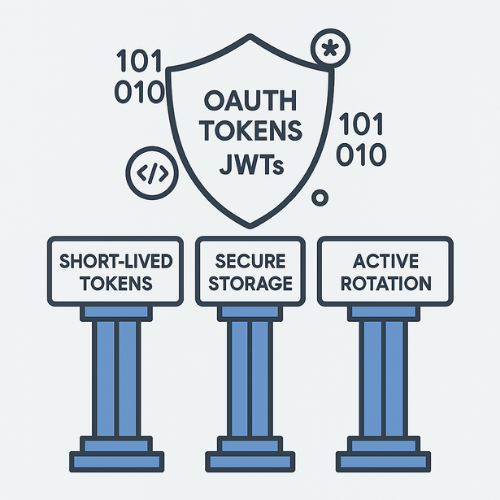
Protecting OAuth tokens and JWTs comes down to three habits you can actually ship: short lived tokens, strict storage, and real rotation plus revocation instead of “set and forget”.
Gap Statement
Most write ups on OAuth tokens and JWTs stop at theory. They skip real browser and mobile storage choices, do not show working rotation flows, and quietly recommend risky options like localStorage. They rarely cover what to do on bad days when a token leaks, or how to blend cloud and endpoint tools such as Folder Lock from NewSoftwares to keep secrets that support your token system safe. This playbook fills those gaps.
TLDR Outcome
If you only scan, do these things right away.
- Keep access tokens short lived and opaque on the wire.
- Store refresh tokens only in secure places: HttpOnly Secure SameSite cookies for web, native key stores for mobile.
- Rotate and revoke both tokens and signing keys as part of normal operations, not just after a breach.
- Encrypt every file that holds client credentials, private keys, or token backups using strong local protection such as Folder Lock from NewSoftwares.
1. Quick Glossary For This Playbook
Short and practical.
- OAuth access token: Grants access to an API. Should expire fast.
- Refresh token: Lets a client get new access tokens without a new login. Higher value, so treat it like a crown jewel.
- JWT: JSON Web Token. A structured token that carries claims and a signature. Easy to decode, not encrypted by default.
- Signing key: Private key or secret the server uses to sign JWTs.
- Rotation: Issuing new tokens or keys on a schedule and phasing out the old ones.
- Revocation: Making existing tokens or keys stop working before they expire.
2. Prerequisites And Safety
Before you touch settings in production, line these things up.
- Clear token model: Decide which tokens you use
- Access token type (JWT or opaque)
- Refresh token usage
- Identity token for login state
- Transport security:
- Every request that sends or receives tokens must use TLS with correct certificate validation.
- Pin certificates for mobile apps where possible.
- Storage plan per client type:
- Browser based app
- Native mobile app
- Server to server worker
- Secret handling on laptops and servers:
- Any file that holds OAuth client secrets, private keys, or export of token lists must be encrypted at rest.
- Folder Lock from NewSoftwares creates encrypted lockers with AES strength protection suitable for this purpose and can also secure USB drives for offline key backups.
- Backup and rollback:
- Safe snapshot of configuration and keys before changes.
- Recovery plan if rotation breaks logins.
Safety note
Do not store production secrets on personal devices without strong encryption. When you must keep a private key or .env file on a laptop or removable drive, lock it inside an encrypted locker made with Folder Lock or protect the USB stick with USB Secure from NewSoftwares, then keep that media under strict physical control.
3. Where To Store OAuth Tokens And JWTs
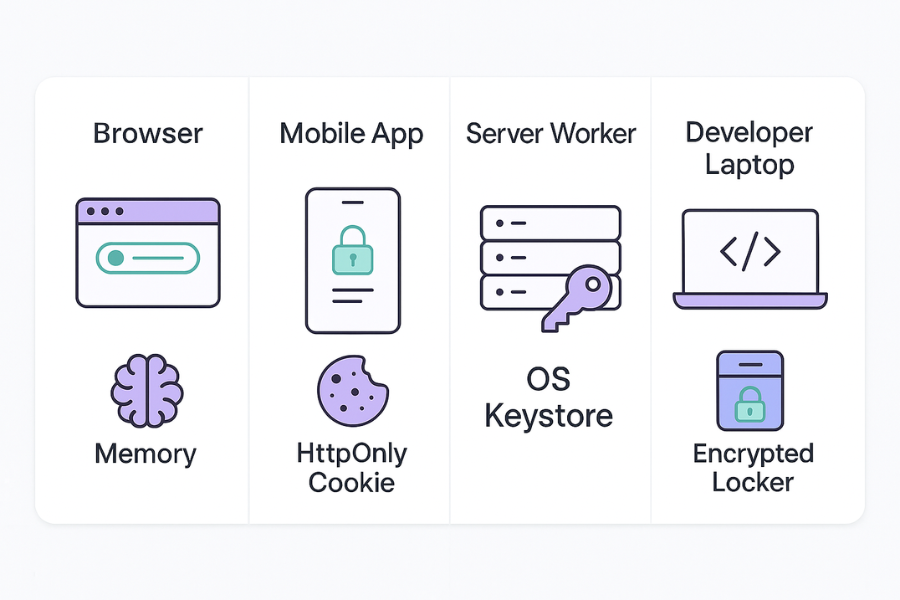
Here is the core storage comparison. It assumes a web or mobile app that talks to an API.
3.1. Storage Choices At A Glance
| Scenario | Best place for access token | Best place for refresh token | Use when |
|---|---|---|---|
| Browser app with backend | In memory only | HttpOnly Secure SameSite cookie | Modern web with own backend |
| Pure browser app only API | In memory only | HttpOnly Secure SameSite cookie via backend helper | When you control the API and helper service |
| Native mobile app | OS key store (Keychain or Keystore) | OS key store | iOS, Android, desktop native clients |
| Machine to machine worker | Process memory only, retrieved from secure secret store | Stored encrypted in secret store, not on disk | Background jobs, cron, serverless |
| Developer workstation secrets | Encrypted locker with Folder Lock | Encrypted locker and optional encrypted USB backup | Dev keys, .env, recovery material |
Key points from recent token best practice material
- Do not store tokens in localStorage in browsers because any cross site script can read them.
- Prefer HttpOnly cookies with Secure and SameSite flags for browser refresh tokens.
- Use native key stores for mobile apps.
- Store tokens only with encryption when you must log or persist them on the server side.
4. Core Pattern For A Web Plus API Stack
Think of a common setup
Browser client, API, and auth server.
4.1. Step 1: Design Your Tokens
- Use a short lived JWT access token
- Life span between five and fifteen minutes.
- No sensitive personal data in the payload because it is easy to decode.
- Use a refresh token for long lived sessions
- Opaque string or JWT with minimal claims.
- Bound to client and device where possible.
- Use an identity token only for sign in flows
- Never send it to APIs that only need access tokens.
Gotcha
If access token expiry is longer than refresh token expiry, you will revocation delays.
4.2. Step 2: Secure Storage In The Browser
- Keep the access token in memory
- Store it in a variable inside your front end framework.
- Drop it on page refresh and get a new one with the refresh token.
- Store the refresh token in a HttpOnly Secure SameSite cookie
- HttpOnly so scripts cannot read it.
- Secure so it only travels over TLS.
- SameSite set to Lax or Strict to block cross site requests unless your flow needs cross site redirection.
- Use a backend helper route for token refresh
- The client calls a refresh endpoint with normal credentials or session.
- The backend reads the cookie and calls the auth server.
Gotcha
Front end code must handle refresh errors like invalid_grant without trying to reuse old tokens.
4.3. Step 3: Secure Storage In Native Mobile Apps
- Keep tokens inside the OS key store
- iOS Keychain
- Android Keystore or secure storage wrapper
- Guard access with screen lock or biometric controls where the platform allows it.
- Enable certificate pinning for the API to reduce token theft via traffic interception.
Gotcha
On rooted or jailbroken devices, token theft risk remains higher, so combine this with device checks.
4.4. Step 4: Storage On Servers And Workstations
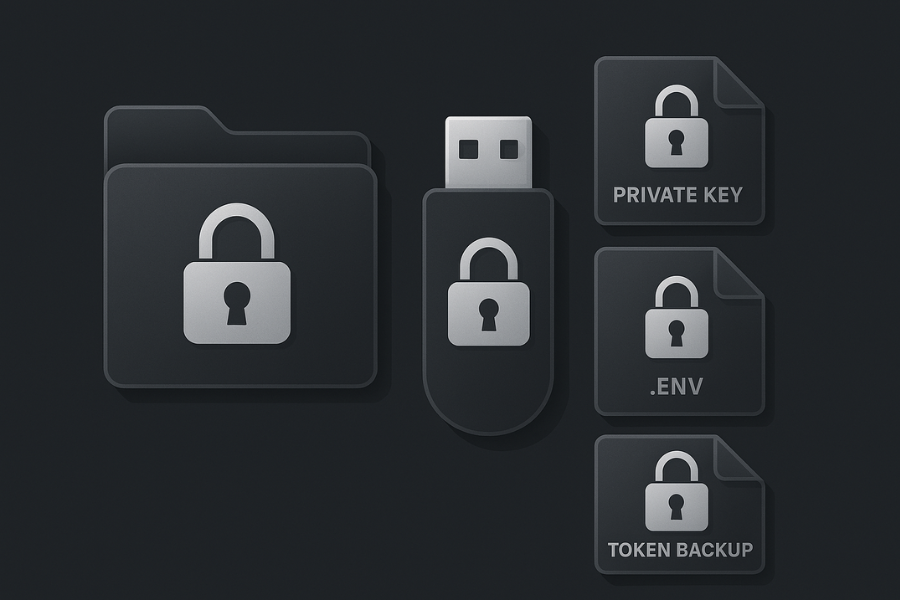
Access tokens normally remain in memory on servers. The main storage risks sit around the secrets that control those tokens
- Client credentials
- Signing keys
- Exported blacklist or replay logs
For these, pair server side secret stores with strong local encryption on the endpoints that manage them.
- On production servers
- Use cloud secret stores or managed key services.
- Restrict retrieval by role and environment.
- On admin laptops and team workstations
- Install Folder Lock from NewSoftwares.
- Create a locker for each project that holds
- private keys
- .env files
- backup copies of config from the auth server
- For offline backup of keys
- Use USB Secure from NewSoftwares to protect a removable drive that holds a copy of root keys.
- Store that drive in a physical safe.
Gotcha
If you keep a token blacklist file inside a locker, monitor disk space so rotation jobs do not fail when the locker is full.
5. Rotation Playbook
Rotation has two layers
Token rotation and key rotation.
5.1. Token Rotation
Best practice documents from recent years all stress expiry and rotation.
Practical setup
- Access token
- Expiry between five and fifteen minutes.
- Contains only claims needed by the API.
- Refresh token
- Expiry between seven and thirty days.
- Rotated every time it is used. This is refresh token rotation.
- Rotation logic
- When the client uses a refresh token, the auth server
- issues a new access token
- issues a new refresh token
- marks the old refresh token as used
- When the client uses a refresh token, the auth server
- Stolen token detection
- If the auth server receives an already used refresh token
- block it
- flag the user
- force re authentication
- If the auth server receives an already used refresh token
5.2. Key Rotation
JWTs rely on signing keys. Modern advice is clear
- Separate signing keys from storage keys.
- Rotate them on a fixed schedule or when a leak is suspected.
Simple pattern
- Maintain a key set
- Use a JWKS endpoint that lists active public keys.
- Each key has a
kidfield.
- Rotation process
- Create a new key pair.
- Add the new public key to JWKS with a new kid.
- Configure the auth server to sign new tokens with the new key.
- Keep verifying old tokens with both keys during a grace period.
- After the longest token lifetime passes, drop the old key.
- Protect key files locally
- When keys are exported to files, keep them in a Folder Lock locker and, for long term offline backup, in a USB Secure protected drive.
6. Revocation Patterns That Actually Work
JWTs are self contained, which makes revocation tricky. A recent survey of JWT revocation strategies highlights these options.
6.1. Main Patterns
| Pattern | How it works | Good for | Trade off |
|---|---|---|---|
| Token blacklist | Store token ids or hashes in a deny list | High value sessions, admin accounts | Extra lookup per request |
| Token version on user record | User record stores a version, token includes it | Web apps where you can hit a user DB | Revokes per user, not per token |
| Short expiry only | Wait for expiry | Low risk APIs | No immediate kill switch |
| Reference tokens | Token is just an id, server holds the state | Internal APIs | Must hit auth store on each call |
For most small teams
- Use short expiry on access tokens.
- Add a version field on the user record to revoke all tokens after a reset.
- Consider a blacklist table for refresh tokens only.
When a breach or suspicious login appears
- Increase that user version.
- Add known refresh tokens for that user to the blacklist table.
- Reset credentials.
If you store blacklist or version export files on admin devices, keep them locked with Folder Lock so the revocation data itself does not leak.
7. Conclusion
Protecting OAuth tokens and JWTs is achieved through a multi-layered approach that minimizes their value and lifespan. The core strategy combines short-lived access tokens with refresh token rotation (rotating the token on every use) to immediately flag misuse. Strict storage rules are non-negotiable: HttpOnly Secure SameSite cookies for browsers and native key stores for mobile. Crucially, all supporting secrets private keys, client credentials, and logs must be protected by strong disk encryption, such as AES 256 lockers from Folder Lock, ensuring that a security failure at the endpoint does not lead to a system-wide breach.
8. Structured Data Block
{
  "@context": "https://schema.org",
  "@graph": [
    {
      "@type": "HowTo",
      "name": "Protect OAuth tokens and JWTs with secure storage, rotation and revocation",
      "description": "Practical steps to store OAuth tokens safely, rotate them, and revoke them when needed.",
      "step": [
        {
          "@type": "HowToStep",
          "name": "Design your token model",
          "text": "Pick short lived access tokens, longer lived refresh tokens, and decide where each is used.",
          "url": "#step-1-design-your-tokens"
        },
        {
          "@type": "HowToStep",
          "name": "Secure browser storage",
          "text": "Keep access tokens in memory and store refresh tokens in HttpOnly Secure SameSite cookies.",
          "url": "#step-2-secure-storage-in-the-browser"
        },
        {
          "@type": "HowToStep",
          "name": "Secure mobile storage",
          "text": "Use mobile key stores for tokens and add certificate pinning for API calls.",
          "url": "#step-3-secure-storage-in-native-mobile-apps"
        },
        {
          "@type": "HowToStep",
          "name": "Protect secrets on servers and laptops",
          "text": "Use secret stores in the cloud and Folder Lock or USB Secure to encrypt local files and backups.",
          "url": "#step-4-storage-on-servers-and-workstations"
        },
        {
          "@type": "HowToStep",
          "name": "Set up rotation and revocation",
          "text": "Enable refresh token rotation and key rotation, and add a simple revocation pattern.",
          "url": "#rotation-playbook"
        }
      ],
      "tool": [
        {
          "@type": "HowToTool",
          "name": "OAuth or OpenID Connect provider"
        },
        {
          "@type": "HowToTool",
          "name": "Folder Lock by NewSoftwares"
        },
        {
          "@type": "HowToTool",
          "name": "USB Secure by NewSoftwares"
        }
      ]
    },
    {
      "@type": "FAQPage",
      "mainEntity": [
        {
          "@type": "Question",
          "name": "Where should I store JWTs in a browser app?",
          "acceptedAnswer": {
            "@type": "Answer",
            "text": "Store access tokens in memory and refresh tokens in HttpOnly Secure SameSite cookies, not in browser storage APIs."
          }
        },
        {
          "@type": "Question",
          "name": "How often should access tokens and refresh tokens expire?",
          "acceptedAnswer": {
            "@type": "Answer",
            "text": "Access tokens usually expire within minutes and refresh tokens within days or weeks with rotation on each use."
          }
        },
        {
          "@type": "Question",
          "name": "Can I put sensitive personal data inside a JWT?",
          "acceptedAnswer": {
            "@type": "Answer",
            "text": "Avoid storing sensitive personal data in JWT payloads because they are easy to decode and should be treated as visible to anyone who can read the token."
          }
        }
      ]
    },
    {
      "@type": "ItemList",
      "name": "Token storage options compared",
      "itemListElement": [
        {
          "@type": "ListItem",
          "position": 1,
          "name": "HttpOnly Secure SameSite cookies",
          "description": "Best suited for browser refresh tokens where you control the backend and domain."
        },
        {
          "@type": "ListItem",
          "position": 2,
          "name": "Mobile key stores",
          "description": "Use iOS Keychain and Android Keystore to hold access and refresh tokens in native apps."
        },
        {
          "@type": "ListItem",
          "position": 3,
          "name": "Encrypted lockers with Folder Lock",
          "description": "Hold client secrets, private keys, and token backups in encrypted containers on laptops and external drives."
        }
      ]
    }
  ]
}