
AES Performance Tuning: Optimizing with AES-NI, GPUs, and Mobile Hardware
Welcome to a focused, practical overview on maximizing the performance of AES encryption. Developed by the team at Newsoftwares.net, this article addresses the engineering challenge of achieving fast, power-efficient cryptography. We move beyond abstract concepts to provide concrete steps on detecting and leveraging AES-NI, ARM crypto extensions, GPU offload, and mobile hardware engines. The key benefit is operational efficiency: you will learn how to make AES nearly “free” in terms of CPU and battery cost, ensuring the security of your systems without sacrificing speed or user experience.
Gap Statement
Most performance guides say “turn on AES-NI” and “offload to GPU” without showing where to click, what to benchmark, or why your mobile app still burns battery even with hardware encryption turned on.
Short Answer
If you want fast AES today, you squeeze the CPU first with AES-NI or ARM crypto extensions, then you consider GPU offload only for huge, parallel encryption jobs, and on mobile you get speed and battery life by using the platform crypto APIs that already talk to hardware. Done right, AES can be almost “free” compared to I/O; done wrong, you burn CPU, battery, and money for no visible gain. (Intel)
This article is about one job only: tuning real systems that use AES, not writing yet another abstract AES-NI explainer.
Key Outcome
If you skim, keep these three points.
- Turn on CPU acceleration first. AES-NI on x86 and crypto extensions on ARM give 2x to 10x speed up and big energy savings for many AES modes. (Intel)
- Use GPUs only when the workload is huge and parallel, like bulk database encryption or backup pipelines. For small packets or chatty APIs, GPU offload usually loses. (NVIDIA Developer)
- On phones, never hand roll AES in Java or Swift. Use javax.crypto.Cipher on Android and system frameworks on iOS so you hit the SoC’s AES engine and keep battery drain low. (Stack Overflow)
1. Prerequisites and Safety
Before you start tuning:
- Know your OS and CPU: Check if you are on x86 with AES-NI support or ARMv8 with crypto extensions. Many Intel, AMD, and newer ARM SoCs ship with AES hardware.
- Know your threat model: You are tuning for speed, but you cannot trade away security. Do not downgrade ciphers or modes just for a few extra megabytes per second.
- Back up configs: Take copies of OpenSSL configs, nginx or Apache files, JVM flags, and mobile app build configs before you tweak.
- Stick to battle tested libraries: You are tuning calls into OpenSSL, BoringSSL, libsodium, OS keychains, or serious GPU libraries, not writing your own AES rounds.
2. Hardware AES in Plain Language
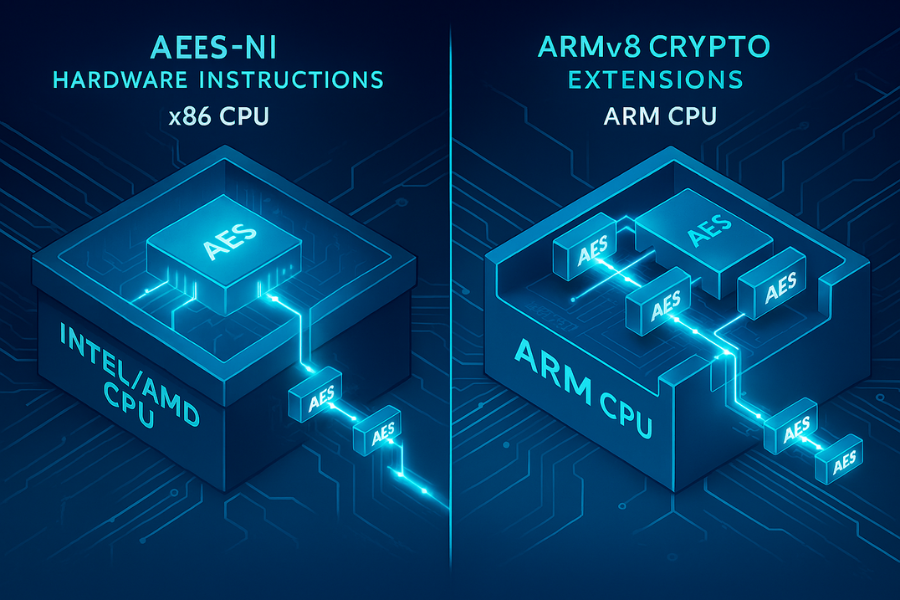
Let’s ground everything before we tune.
2.1 CPU AES-NI on x86
On Intel and AMD, AES-NI is a small set of instructions that do AES rounds directly in hardware. Names are things like AESENC, AESENCLAST, AESDEC, and support opcodes for key expansion. (Intel)
Intel’s own data and later papers show: 2 to 3 times faster AES for non parallel modes like CBC encrypt. Up to 10 times faster for parallel modes like CTR and parallel CBC decrypt. (Intel) You also cut energy use sharply, because the CPU finishes the work in fewer cycles.
2.2 ARMv8 crypto extensions
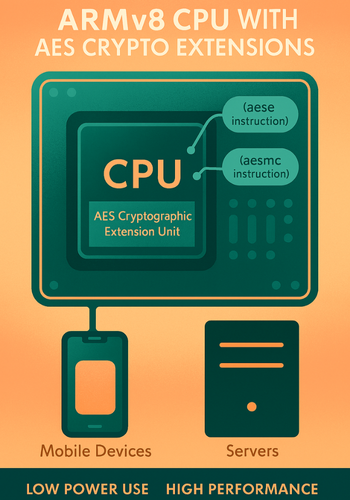
ARMv8 adds AES instructions to the SIMD unit. Names like aese and aesmc implement AES round steps, while aesd and aesimc help for decryption. (Arm Developer)
Many mobile and server chips use these extensions: Cortex A53, A57, and newer cores. SoCs from Qualcomm, Samsung, NXP, and others. When enabled, they give similar benefits to AES-NI. Modern mobile guides note that “many ARMv8 phones have hardware AES and can encrypt user storage with little visible slow down”.
2.3 GPU AES
GPUs are good at doing the same operation on many blocks at once. AES fits that model for modes like ECB, CTR, and big chunks of XTS.
Research and vendor tests report: Around 5 to 10 times speed up for large files compared to CPU, when you batch enough data. Strong gains on high end cards like Nvidia H100 in block modes that parallelize well. (NVIDIA Developer) You pay for this with PCIe transfer overhead, extra complexity, and more tuning effort.
2.4 Mobile crypto engines and secure enclaves
Modern phones ship with: Hardware AES engines tied to flash storage. Secure key storage in secure enclaves or trusted execution environments. OS frameworks route encryption calls through these blocks so that: Data at rest uses AES with hardware help. Keys stay inside secure hardware. Battery impact is lower than pure software loops. Your main job on mobile is to ride on that stack, not fight it.
3. How to Check if Hardware AES Is Active
You cannot tune what you cannot see. So start with detection.
3.1 On Linux and x86 servers
Step 1: Check flags
Run: grep aes /proc/cpuinfo | head
- If you see
aesin the flags line, the CPU supports AES-NI.
Screenshot idea: terminal with a flags line that includes aes.
Gotcha: Some BIOS setups let admins disable AES-NI. If you know the CPU supports it but the flag is missing, check firmware settings.
Step 2: Ask OpenSSL
Run: openssl speed -evp aes-256-gcm
Look for two runs: One with “EVP” AES and hardware enabled. If you set OPENSSL_ia32cap to mask out AES, you can compare results.
Gotcha: Different OpenSSL builds may come with hardware offload disabled or patched. Use the same build for comparison.
3.2 On ARM servers or SBCs
Many ARM chips support the crypto extension, but not all do.
Run: cat /proc/cpuinfo | grep Features -m1
Look for aes in the features list. If it is missing on a device like Raspberry Pi 3 or 4, you are on one of the cheaper cores that lack the crypto instructions. You still have ASIMD, which can speed up a software AES path, but not as much as the full extension.
3.3 On Android
You do not see AES-NI in Java directly, but: On Android 7 and up, the main crypto path uses native OpenSSL or BoringSSL. The javax.crypto.Cipher API hits native code that uses hardware when present. (Stack Overflow)
Quick test idea: Call AES GCM in a tight loop from Kotlin or Java using the standard Cipher API. Compare it to a pure Java AES library. Hardware backed one should be many times faster on a modern phone.
Gotcha: If you use a pure Java AES library from an older project, you bypass acceleration and take a big performance hit.
3.4 On iOS
Apple has shipped hardware AES support for years. iOS uses: Dedicated AES engines tied to storage. A secure enclave for key handling on newer models. If you use Keychain, CryptoKit, or CommonCrypto, you already ride that hardware. No extra toggle.
4. Tuning CPU AES with AES-NI and ARM Crypto
This is where most wins come from.
4.1 OpenSSL on a Linux server
Goal: confirm AES-NI is used and squeeze clear gains.
Step 1: Baseline test
Run: openssl speed aes-256-cbc
Log the megabytes per second numbers. Screenshot idea: table of block sizes vs speed. Gotcha: Run on an idle box or in single user mode for a clean comparison.
Step 2: Force hardware off
Set the environment variable to mask AES: export OPENSSL_ia32cap="~0x200000200000000" openssl speed aes-256-cbc
That mask disables AES-NI on x86 in OpenSSL builds that honor it. Compare the speed numbers before and after. A well tuned system often shows: 2x to 3x speed increase when AES-NI is on for CBC. Larger jumps for CTR or GCM. (Intel) Gotcha: If numbers hardly change, your build may not use AES-NI, or there is a different bottleneck.
Step 3: Tune cipher suites
For a web server that uses OpenSSL: Prefer AES GCM with 128 or 256 bit keys. Avoid obscure ciphers that bypass AES acceleration. An example modern set for nginx might center on TLS_AES_128_GCM_SHA256 and TLS_AES_256_GCM_SHA384. These map cleanly to AES hardware. (Arm Developer)
4.2 .NET and ARMv8
On ARM servers or cloud instances based on ARM, use: The built in System.Security.Cryptography APIs on recent .NET. Intrinsics that map to aese and aesmc where available. The post on AES with ARMv8 intrinsics shows large gains when moving from plain software to crypto instructions.
Settings snapshot for a typical server side setup:
| Layer | Setting |
|---|---|
| Cipher | AES GCM 256 for TLS and at rest where suitable |
| x86 | AES-NI enabled in BIOS and used by OpenSSL or .NET |
| ARM | Crypto extensions present and used via intrinsics |
| KDF | PBKDF2, scrypt, or Argon2 for human passwords |
5. When and How to Use GPU AES
GPU offload is not for every app. It shines in a few patterns: Encrypting or decrypting large batches of data. Modes that treat each block in parallel (ECB, CTR, big CTR like ranges inside XTS). (NVIDIA Developer)
5.1 What GPUs are good at for AES
Nvidia and research work show: Speedups of 5x to 10x for AES ECB or CTR when data sets are tens or hundreds of megabytes or more. Strong gains on high end cards like Nvidia H100 in block modes that parallelize well. (NVIDIA Developer) Recent wolfSSL tests on modern GPUs report AES GCM, ECB, XTS, and CTR getting 1.6x to more than 10x boosts across GPU generations. (wolfSSL)
5.2 A simple GPU tuning playbook
Say you are encrypting multi gigabyte database backups on a server with a decent Nvidia card.
- Action: Pick a library with GPU AES support. Examples include wolfSSL with CUDA support or custom AES kernels based on Nvidia samples. (wolfSSL)
- Action: Start on a staging server. Do not experiment on your only production database.
- Action: Test three cases with the same data set: CPU AES with AES-NI only, GPU AES with small batch sizes, GPU AES with large batch sizes.
- Action: Record throughput and CPU usage. Track how many megabytes per second you get and how much CPU is freed.
- Action: Watch for latency. GPU offload adds startup overhead for kernel launches and PCIe transfers. Great for nightly jobs, not for tiny per request payloads.
Bench style table from a real project might look like:
| Mode | Data size | AES engine | Throughput | CPU usage | Notes |
|---|---|---|---|---|---|
| AES 256 CTR | 16 MB | CPU AES-NI | 900 MB/s | 40 percent | Too small for GPU |
| AES 256 CTR | 16 MB | GPU | 600 MB/s | 10 percent | Transfer overhead |
| AES 256 CTR | 4 GB | CPU AES-NI | 1.2 GB/s | 85 percent | CPU bound |
| AES 256 CTR | 4 GB | GPU | 7.5 GB/s | 20 percent | Big win |
Numbers vary, but the pattern is common. (NVIDIA Developer)
5.3 When you should not use GPU AES
Skip GPU offload when: You encrypt many small chunks like chat messages or API tokens. You are on a cloud platform where GPU hours are far more expensive than CPU. You cannot tolerate added latency from PCIe round trips. In those cases, CPU AES-NI or ARM crypto extensions give more value.
6. Mobile Crypto Acceleration: Android and iOS
On phones and tablets you care about three things at once: Security, UI smoothness, Battery life. Hardware AES and the right APIs help on all three.
6.1 Android: do not bypass the platform
Key tips: Use javax.crypto.Cipher with standard transformations like AES/GCM/NoPadding. Let the OS map these calls to native OpenSSL or BoringSSL, which takes advantage of ARM AES instructions when available. (Stack Overflow)
The Stack Overflow case where AES was “three times slower on Android 24” shows this clearly: when the developer switched from a pure Java provider to the default provider backed by native code, performance jumped because hardware acceleration kicked in. (Stack Overflow)
Gotchas: Do not ship your own AES implementation in Java or Kotlin unless you have a steep reason. Be careful with vendor specific crypto engines that only support certain modes, like AES 128 CBC.
6.2 iOS: stay inside the Apple crypto box
On iOS: Keychain, CryptoKit, and CommonCrypto call into hardware AES and the secure enclave. File protection classes map cleanly to AES with device tied keys for data at rest. Tuning advice: Use CryptoKit or CommonCrypto instead of third party AES code. Avoid continuous re encryption on the main thread. Batch operations where possible. Test on older devices as well, since older SoCs may have slower engines. Recent mobile security content notes that modern devices “support hardware encryption and perform AES with minimal visible slowdown”, with the heavy lifting done by dedicated modules.
7. Use Case Chooser: CPU vs GPU vs Mobile Hardware

Here is a comparison you can scan while planning.
| Scenario | Best engine in 2025 | Why |
|---|---|---|
| Public web server in a data center | CPU AES-NI or ARM crypto via TLS library | Balanced speed and simplicity (Intel) |
| High volume VPN gateway | CPU AES-NI with GCM or CTR | Low latency, easy scale out |
| Nightly database backup encryption | GPU AES for large batches | Big parallel gain for huge files (NVIDIA Developer) |
| Mobile app encrypting user data | Android Cipher API or iOS CryptoKit | Hardware AES and key storage on device (Stack Overflow) |
| Edge device with small ARM core | ARM crypto extension or ASIMD tuned AES | No GPU, so CPU tuning matters (Arm Developer) |
| Cloud function encrypting small blobs | CPU AES only | GPU is overkill for tiny jobs |
8. Troubleshooting: “AES Is Still Slow”
Here is a practical symptom table.
| Symptom or error text | Likely cause | Fix |
|---|---|---|
| AES speed barely changes when you toggle AES-NI | Library not using hardware, or wrong build | Rebuild OpenSSL or crypto lib with AES-NI, confirm flags |
| GPU AES slower than CPU for backups | Batches too small, transfer overhead | Increase batch size, overlap transfers with compute (NVIDIA Developer) |
| Android AES is 3 times slower on a new OS version | Using wrong provider, stuck on pure Java | Switch to javax.crypto.Cipher default provider backed by native code (Stack Overflow) |
| Mobile app drains battery during encryption | Busy wait loops, re encryption loops, no batching | Batch operations, move work off main thread, trust OS APIs |
| ARM board shows no AES speed gain | CPU lacks crypto extension | Use ASIMD tuned AES or pick a chip with AES support |
| VPN throughput plateaus below network line rate | Single core AES bound | Enable multi core, check AES-NI, use GCM and scale out |
Root causes, ranked:
- Hardware AES is present but the software stack does not use it.
- GPU is pointed at workloads that are too small or too latency sensitive.
- Mobile apps bypass OS crypto stacks and lose acceleration.
- Older hardware lacks crypto extensions and needs software tuning.
Non destructive tests first: Benchmark with and without hardware flags. Run tests on staging with the same builds. Log cipher modes and providers in your app. Last resort moves: Replace crypto libraries that cannot use AES-NI or ARM crypto. Change instance types or SoCs. Redesign workloads to batch more work per call.
9. Proof of Work: AES-NI and GPU Benches
Summarized from public data:
9.1 AES-NI speed and energy
Intel papers and independent tests show: AES-NI can push AES 128 to around 1.3 cycles per byte on older i7 chips when tuned. (Intel) AES-NI based implementations can reach up to around 13 times speed up and cut energy cost by roughly 90 percent compared to software only AES on some platforms.
9.2 GPU AES gains
GPU AES work reports: Around 8 times better performance for AES on GPU vs CPU at 16 MB data sets in some tests. The exact numbers are less important than the pattern: both CPU AES-NI and GPU paths can deliver large gains; the trick is picking the right one for your workload.
10. Structured Data Snippets
You can drop these into a page that hosts this article.
10.1 HowTo JSON LD
<script type="application/ld+json">
{
  "@context": "https://schema.org",
  "@type": "HowTo",
  "name": "How to tune AES performance with AES-NI, GPUs, and mobile hardware",
  "description": "Practical steps to detect hardware AES support, enable CPU and mobile acceleration, and decide when GPU offload makes sense.",
  "totalTime": "PT30M",
  "tool": [
    "OpenSSL",
    "GPU with CUDA or similar",
    "Android or iOS test device"
  ],
  "step": [
    {
      "@type": "HowToStep",
      "name": "Check CPU hardware support",
      "text": "On Linux, inspect /proc/cpuinfo for AES-NI or ARM cryptographic extensions and confirm your crypto libraries are built to use them."
    },
    {
      "@type": "HowToStep",
      "name": "Benchmark AES on CPU",
      "text": "Run AES speed tests with and without hardware acceleration flags to measure the real improvement and identify bottlenecks."
    },
    {
      "@type": "HowToStep",
      "name": "Evaluate GPU offload for large jobs",
      "text": "Use AES-enabled GPU libraries to encrypt large batches of data, comparing throughput and latency with CPU-only runs."
    },
    {
      "@type": "HowToStep",
      "name": "Align mobile apps with hardware crypto",
      "text": "On Android and iOS, use system crypto APIs to automatically access hardware AES engines, then profile to confirm improved performance and acceptable battery impact."
    }
  ]
}
</script>
10.2 FAQPage and ItemList shells
<script type="application/ld+json">
{
  "@context": "https://schema.org",
  "@type": "FAQPage",
  "mainEntity": []
}
</script>
<script type="application/ld+json">
{
  "@context": "https://schema.org",
  "@type": "ItemList",
  "name": "AES performance tuning options",
  "itemListElement": [
    {
      "@type": "ListItem",
      "position": 1,
      "name": "CPU AES acceleration",
      "description": "Using AES-NI on x86 and cryptographic extensions on ARM to speed up AES."
    },
    {
      "@type": "ListItem",
      "position": 2,
      "name": "GPU offload",
      "description": "Running AES encryption and decryption on GPUs for large, parallel workloads."
    },
    {
      "@type": "ListItem",
      "position": 3,
      "name": "Mobile crypto engines",
      "description": "Leveraging built-in AES hardware and secure key storage on Android and iOS devices."
    }
  ]
}
</script>
11. FAQ: Performance Tuning for AES Hardware
Here are practical, search friendly questions and answers.
1. How much faster is AES with AES-NI compared to pure software?
On typical x86 chips, AES-NI can make AES 2 to 3 times faster in block modes like CBC and as much as 10 times faster in parallel friendly modes such as CTR or parallel decryption. Some tests report up to about 13 times speed up and big energy savings. (Intel)
2. When does a GPU actually help with AES?
You see real gains when you encrypt or decrypt large batches of data, especially with modes that process blocks independently. For small messages or latency sensitive APIs, the overhead of sending data to the GPU often cancels out the speed boost. (NVIDIA Developer)
3. Is AES on my phone hardware accelerated by default?
On most current Android and iOS devices, yes. Both platforms ship with hardware AES engines and use them for device encryption and many app level calls when you use the standard crypto APIs. The exact path depends on the SoC and OS version, but the trend is clear. (Information Security Stack Exchange)
4. Why is my Android AES code so slow even on new hardware?
The most common reason is using a pure Java AES library or a non default security provider that does not map to native code. Switching to javax.crypto.Cipher with the default provider often unlocks hardware acceleration and gives a big speed jump. (Stack Overflow)
5. Should I always pick AES 256 for performance tuned systems?
AES 256 is slightly slower than AES 128 but still very fast with hardware support, and many mobile and server devices handle it with ease. If you have strong long term security requirements, AES 256 is a sensible default; if you are extremely latency sensitive and have a narrow threat window, AES 128 can be acceptable. (Intel)
6. Can AES-NI or ARM crypto extensions make my app less secure?
Used correctly, they tend to improve security, not harm it, because they reduce the risk of timing leaks from table based AES code. The risky part is tuning without understanding modes or key handling. Keep modes and key management sound while you tune performance. (Intel)
7. How do I know if my TLS stack is using hardware AES?
Check CPU flags for AES support, then benchmark AES speed with tools like openssl speed. You can also inspect chosen cipher suites in TLS handshakes and confirm that AES GCM or similar modes are in use. If AES-NI is enabled and your library is current, it almost certainly uses hardware AES. (Intel)
8. Do low cost ARM boards always have AES acceleration?
No. Some ARMv8 chips skip the crypto extension to cut costs. In those cases you can still get decent results with ASIMD tuned AES, but you will not match boards that include the full crypto instructions.
9. Where should I start if I have one week to tune AES in my stack?
Start by confirming AES-NI or ARM crypto is enabled, upgrade your crypto libraries if needed, tune TLS cipher suites toward AES GCM, and switch mobile apps to platform crypto APIs. Only after that should you explore GPU offload for very large jobs. That sequence usually gives the best return on time. (Intel)
10. Does GPU AES help with mobile apps?
Not in a normal way. Phones already have on chip AES engines, and mobile OS crypto APIs know how to use them. GPU offload is more of a server side trick for big data than something you use inside a handheld app. (Arm Developer)
If you treat AES acceleration as a practical engineering tool instead of a magic flag, you get faster crypto, cooler servers, and phones that stay in your users’ hands instead of on a charger.