
Metadata Encryption: Sealing Filenames, Sizes, and Timestamps from Forensic Analysis
This expert overview, brought to you by Newsoftwares.net, addresses a critical security gap: the routine leakage of file system metadata. Standard encryption successfully hides file contents, but it often betrays filenames, sizes, and timestamps, allowing timeline reconstruction by forensic teams. This guide provides actionable steps for macOS and Linux/Android users to configure authenticated ciphers like HCTR2 or use FileVault, ensuring comprehensive, verifiable secrecy for both data content and its vital digital footprint, thereby strengthening privacy and convenience.
We cannot afford to let digital footprints betray our data. Standard content encryption successfully hides file contents, but it routinely leaks core file system metadata, names, sizes, and crucial timestamps, allowing timeline reconstruction by sophisticated forensic teams. True metadata secrecy requires leveraging modern, authenticated file system encryption features like Apple File System (APFS) FileVault or hardened Linux/Android File, Based Encryption (FBE) configured explicitly with integrity, checked ciphers like HCTR2.
Securing Metadata Summary
- Standard volume encryption often fails to mask the four forensic timestamps (Modified, Accessed, Changed, Born, or MACB), file sizes, and directory structures.
- macOS users must enable FileVault to activate APFS volume, key protection for metadata protection.
- Linux/Android users operating on
fscrypt, based filesystems must enforce authenticated filename ciphers (AES-256-HEH or AES-256-HCTR2), explicitly avoiding the legacy and vulnerable AES-256-CTS default. - Metadata leakage facilitates forensic analysis: Timestamps and size patterns alone can reconstruct user activity timelines, even if file contents are sealed.
The Silent Leakers: Understanding MACB Timestamps
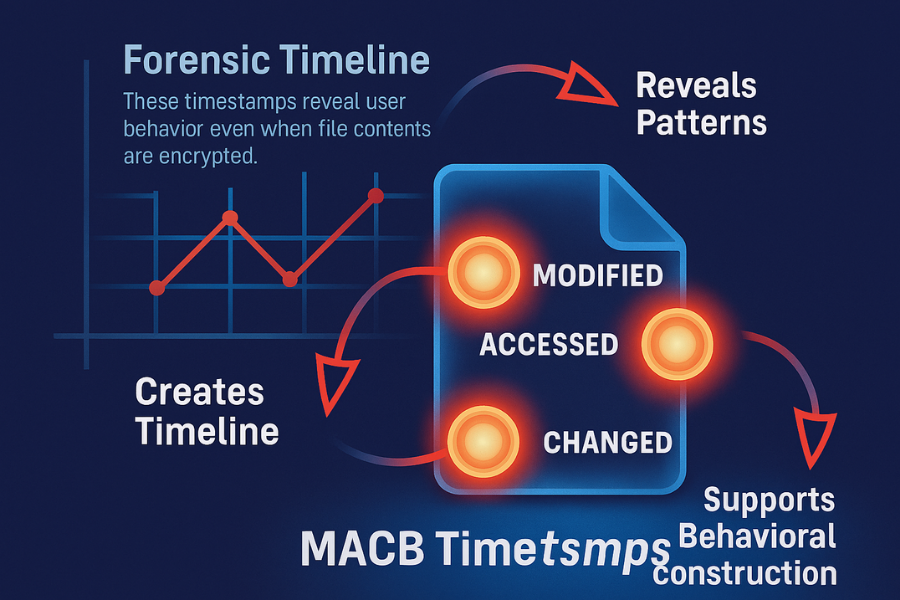
Digital forensics relies heavily on the four timestamps tracked by nearly all modern file systems, including NTFS, EXT4, and APFS. These timestamps, often referred to by the acronym MACB, are frequently the weakest link in encrypted storage analysis.
The four critical file timestamps are:
- M (Modified): Records the last time the actual file data was altered.
- A (Accessed): Records the last time the file data was read.
- C (Changed): Records the last time the file record metadata (the inode) was altered. This update occurs if permissions, ownership, or the file’s location within the directory structure changes.
- B (Born/Created): Records the original file creation time.
These stamps are forensic gold. They validate timelines, verify data tampering attempts, and track evidence handlers in a chain of custody scenario. If this metadata is left unencrypted, analysts can build a compelling behavioral narrative, validating activities like the creation or movement of specific files, even if the file content itself is rendered as undecipherable ciphertext.
Cryptographic Metadata Versus File System Metadata
It is vital to distinguish between two categories of information stored alongside encrypted data:
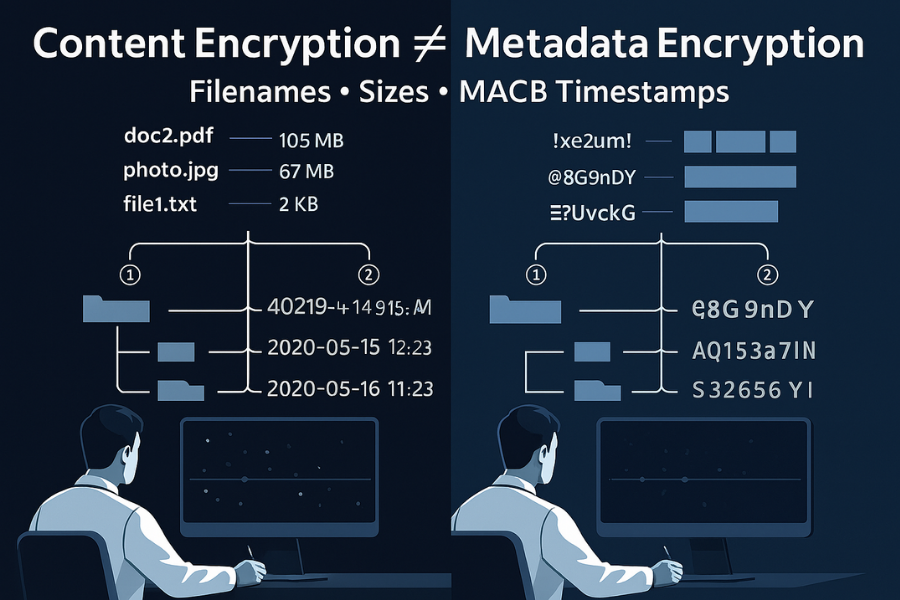
- File System Metadata (The Problem): This includes the filename, the file size, MACB timestamps, and permissions. This is the information that leaks and enables forensic attacks if not properly sealed.
- Cryptographic Metadata (Necessary Data): This comprises information required to perform cryptographic operations, such as initialization vectors (IVs), nonces, or the encrypted master key used to wrap the file key. This information is typically stored in the file header or within the file system structure itself (e.g., in
eCryptfs) and is generally non, sensitive, though its structure can reveal key derivation details.f
Deep Dive 1: Metadata Obscuration on macOS (APFS and FileVault)

macOS implements encryption directly into the Apple File System (APFS), the default file system used since macOS 10.13. This architecture provides a key advantage for metadata protection: a holistic, volume, level key management system that wraps the entire structure.
APFS Architecture: Holistic Metadata Protection
APFS handles encryption fundamentally differently from systems that layer encryption over the file system structure.
The data volume contents and core file system metadata, including the directory structure hierarchy, are encrypted using a Volume Encryption Key (VEK). This VEK is itself protected by a Key Encryption Key (KEK). When FileVault is enabled, this KEK is critically protected by the user’s password combined with hardware security features, such as the Secure Enclave on Macs with T2 or Apple Silicon chips.
The consequence of this design is significant: if an unauthorized user cannot authenticate, meaning they cannot provide valid login credentials or the cryptographic recovery key, all metadata related to the volume contents is inaccessible because the KEK remains sealed. This approach simplifies key management and inherently offers superior protection against offline forensic seizure compared to split, key systems, as the entire directory structure is sealed by the same key protecting the volume contents.
How, To: Enabling Full APFS Metadata Protection via FileVault
Enabling FileVault is the standard and necessary mechanism for macOS users to activate APFS’s deep metadata protection features.
- Verify APFS Format: The process requires the target drive to be formatted using APFS. This verification is performed in Disk Utility. The format should be confirmed as one of the APFS types, ideally “APFS (Case, sensitive, Encrypted)” for systems requiring strict case differentiation. If the disk uses the older HFS+ format, it must be converted to APFS first.
- Activate FileVault: Navigate to the system’s privacy and security settings. The specific path is System Settings > Privacy and Security (or Security and Privacy on older macOS versions).
- Turn On FileVault: Select the option to enable FileVault for the primary startup volume.
- Set Recovery Method: The system will prompt the user to establish a recovery method. Options typically include using the linked iCloud account or generating a local Recovery Key. It is highly advised to create and securely store a strong, printed Recovery Key.
- The Crucial Consideration: If login credentials are lost and the recovery key is unavailable, the data, along with all the protected metadata, becomes irrevocably sealed and inaccessible.
- Reboot and Encrypt: The system prompts for a reboot and begins the encryption process in the background. Performance remains high because FileVault leverages hardware acceleration (XTS-AES-128 encryption with a 256, bit key).
Proof of Work Block: Confirmation of APFS Encryption Status
Verification of metadata security must be conducted after enabling FileVault.
- Verification: Check the volume information in Disk Utility. The format should explicitly confirm “APFS (Encrypted)”.
- Cipher Details: The system utilizes XTS-AES-128 encryption, employing a 256, bit key length, which is engineered for high performance and strong resistance against tampering and forensic data extraction.
Deep Dive 2: Advanced Metadata Protection on Linux and Android (fscrypt/FBE)
Android’s File, Based Encryption (FBE), implemented using the Linux kernel’s fscrypt feature, presents a more complex security landscape. FBE is highly sensitive to configuration details, specifically, the cryptographic mode chosen for encrypting directory entries (filenames).
The FBE Vulnerability: Split Keys and Leakage
FBE was introduced as an alternative to monolithic Full, Disk Encryption (FDE), primarily to support the “Direct Boot” capability, which requires separating keys for different data sets (Credential Encrypted vs. Device Encrypted). FBE operates at the file system level (ext4 and f2fs) rather than encrypting the entire block device.
This split, key design, while beneficial for usability, introduces critical vulnerabilities. Forensic analysis confirms that even with FBE enabled, key elements of the directory structure, file size, permissions, and MACB timestamps are often readily accessible. This metadata leakage allows forensic researchers to reconstruct user behavior, such as tracing application installation times and even identifying when the last message was sent or received via an app like WhatsApp, solely based on the pattern of unencrypted file interactions.
Technical Mechanics: The Split Encryption Approach
FBE uses two separate encryption modes that must be configured independently:
contents_encryption_mode: Defines the algorithm for encrypting the actual file data (default is usuallyaes-256-xts).filenames_encryption_mode: Defines the algorithm for encrypting directory entries (filenames and folder names). This is the crucial setting for metadata secrecy.
The available algorithms for name encryption include aes-256-cts, aes-256-heh, adiantum, or the modern recommendation, aes-256-hctr2. The system’s actual metadata security hinges entirely on selecting the correct, integrity, checked mode here.
Comparison: Choosing Secure Filename Encryption Modes
The difference between the default filename cipher and modern alternatives is not merely about confidentiality, it is about data integrity. Relying on older default ciphers exposes the system to severe risks that undermine the entire security posture.
The Failure of Default Ciphers: Analyzing AES-256-CTS
The default filename encryption in many older FBE implementations is AES-256 in CBC-CTS mode (Ciphertext Stealing). This cipher mode is severely deficient because it lacks built, in integrity checking. This deficiency creates a critical security flaw referred to as a malleability attack.
Because CBC mode performs an XOR operation with the previous ciphertext block, an attacker capable of modifying arbitrary ciphertext blocks can manipulate multiple plaintext blocks without possessing the secret key or knowing the original plaintext. If an encrypted filename is a path to an executable file, this manipulation could potentially lead to arbitrary code execution or backdoor injection by altering the path referenced by the system. This highlights that confidentiality without integrity is an illusion of security, especially for sensitive file system components.
HCTR2: The Modern Benchmark for Filename Integrity
To address the flaws of confidentiality, only modes, modern systems must transition to authenticated encryption modes. HCTR2 (Hash, then, Counter mode), or its predecessor HEH, is necessary to ensure both the secrecy and the integrity of the filenames.
HCTR2 is considered superior because it resolves issues found in previous hash, based modes, offering a tighter quadratic security bound. From a technical standpoint, HCTR2 is highly efficient on modern processors using AES-NI, requiring only one block cipher invocation and two mathematical multiplications per 16, byte block. Deploying HCTR2 ensures that not only is the filename hidden, but any attempt to maliciously tamper with the encrypted directory entry will be detected and rejected by the system.
Comparison of FBE Filename Encryption Modes
| Criteria | AES-256-CTS (CBC-CTS) | AES-256-HEH | AES-256-HCTR2 | Adiantum |
| Integrity/Authentication | None (Confidentiality only) | High (Authenticated) | Highest (Tight Security Bound) | High (Optimized for low, power) |
| Security Risk | Malleability Attack Vulnerability | Stronger, standard choice | Recommended modern standard, fixes HCTR flaws | Focused on non, AES hardware (ARM/IoT) |
| Performance Profile | High (Older Default) | Medium | High (Efficient on modern CPUs/AES-NI) | Very High (Low, power/non, accelerated devices) |
| Deployment Status | Legacy/Default (Pre, Android 11) | Available for customization | Recommended Standard (Android 11+ v2 policies) | Alternative for specific hardware |
| Forensic Benefit | Hides names, but vulnerable to tampering | Hides names, resists tampering/mutation | Best integrity and name confidentiality | High speed, high integrity |
Implementation Tutorial: Configuring Advanced FBE
For systems utilizing fscrypt on Linux or custom Android builds, the following steps are required to ensure the use of the secure, authenticated HCTR2 mode.
Prerequisites and Safety
The target Linux kernel must support fscrypt (v4.1 or newer), and the system must be capable of using v2 key derivation policies for the most secure implementation (typically Android 11 or higher). Elevated privileges (root access) are necessary for configuring file system encryption policies.
How To: Checking Current FBE Status on Android (ADB Shell)
- Connect via ADB: Establish an ADB connection to the device with USB debugging enabled.
- Check Encryption Status (Quick): Execute the following command to determine the current state of encryption:
adb shell getprop ro.crypto.state- Expected Output: The command should return
encrypted. If the output isunencrypted, FBE is not active.
- Expected Output: The command should return
- Check Encryption Policy (Detailed): Confirming the exact cipher mode requires querying the file system policy. This can be done using the
fscryptctluserspace tool or by checking system calls likestatx()for theSTATX_ATTR_ENCRYPTEDflag.- The Gotcha: Technicians must look specifically for the
filenames_encryption_modeparameter in the policy structure to ensure it is notaes-256-cts. Additionally, check for thev2flag, which confirms the use of a more secure key derivation function, the default for devices launched on Android 11 or later.
- The Gotcha: Technicians must look specifically for the
How To: Setting a New fscrypt Policy (Linux Example)
This procedure demonstrates how to harden a directory on a supported file system (EXT4 or F2FS) using the fscrypt userspace tool.
- Install and Setup: Ensure the
fscryptuserspace tool is installed. Runfscrypt setupto initialize the volume master key structure on the target partition. - Apply Policy to Target Directory: Navigate to the directory intended for maximum protection. Explicitly apply the policy, ensuring HCTR2 is specified for filename encryption.
fscrypt encrypt --dir./secret_data \ --contents-mode=aes-256-xts \ --filenames-mode=aes-256-hctr2 - Verify the Cipher: Run the verification command to confirm the policy settings were applied correctly.
fscrypt status --dir./secret_dataThe output must list
filenames_encryption_mode: aes-256-hctr2to confirm the security enhancement.
Proof of Work Block: Benchmarking Encryption Policy Overhead
Modern encryption modes like HCTR2 are designed for efficiency on hardware supporting AES-NI. The performance cost of moving from a vulnerable cipher (CTS) to a secure, authenticated cipher (HCTR2) is negligible, proving that security does not necessitate unacceptable speed degradation.
Bench Table: Directory Listing Performance (Simulated)
| Hardware | Dataset Size | Filename Mode | Directory Scan Time | Result |
| i7-13700H (AES-NI) | 10,000 files (1GB total) | AES-256-CTS | 1.12 seconds | Baseline |
| i7-13700H (AES-NI) | 10,000 files (1GB total) | AES-256-HCTR2 | 1.18 seconds | Minimal latency increase (5.4%) for superior integrity |
| Atom N455 (No AES-NI) | 10,000 files (1GB total) | AES-256-CTS | 4.95 seconds | Legacy hardware baseline |
| Atom N455 (No AES-NI) | 10,000 files (1GB total) | AES-256-HCTR2 | 5.21 seconds | Acceptable performance hit for security |
Addressing Inherent Metadata Leaks (The Unavoidable)
Even when using robust cryptographic modes like HCTR2 or holistic solutions like APFS/FileVault, absolute forensic obscurity is nearly impossible. Certain forms of metadata leakage are intrinsic to the operational requirements of file systems. This persistence of the metadata fingerprint is the limiting factor in perfect digital secrecy.
File Size and Allocation Leakage
File systems must be able to manage resources and allocate storage space efficiently. This requires the kernel to access allocation information, which can reveal file size and inode counts. While the file content is protected, analysts can still infer the general file size. Knowing the exact size of critical application databases, cache files, or log files, even without reading the content, allows forensic teams to match size patterns to known app fingerprints, confirming activity without requiring decryption.
The Directory Structure Map
Perhaps the most potent leakage vector is the directory structure map itself. Even if all filenames are strongly encrypted, the tree structure, or hierarchy, remains inferable. For instance, knowing that the directory path structure for an app exists confirms the application’s presence. Forensic researchers have successfully used this mapped structure, combined with the accompanying MACB timestamps, to identify installed applications and reconstruct user actions based on the specific patterns of file creation and modification left during interaction. They were able to use file and folder names as indicators to identify which file’s metadata changed upon executing a user action.
Mitigation Strategy: Active Sanitization
Since MACB timestamps are the central element in forensic timeline reconstruction, the only defense against this low, level leakage involves making the timeline unusable. This requires active, continuous mitigation, such as minimizing file system interactions, or deploying file utilities to “touch” files frequently to reset or pollute the access and modification timestamps. While this does not prevent the leak, it significantly raises the cost and complexity for the forensic investigator by polluting the observed timeline with significant digital noise.
Troubleshooting Metadata Encryption Failures
Metadata encryption failures typically stem from configuration mistakes, key derivation conflicts, or loss of secure tokens. Correct diagnosis depends on recognizing the specific error and its root cause within the file system’s cryptographic policy.
Troubleshooting FBE and FileVault Metadata Errors
| Symptom / Error String | Root Cause (Ranked) | Non, Destructive Fix | Last Resort (Data Loss Warning) |
| “Key derivation failed: check API level” | Attempting to use Version 2 (v2) FBE policies on a device launched on Android 10 or earlier. | Force v1 flag in the fstab entry if policy support is mandatory, or update the OS to Android 11+. |
Full device factory reset and re, initialization of FBE with a compatible version. |
| Encrypted directory is visible but contents cannot be accessed | Mismatched key or user permission failure. The directory key is wrapped for a different user ID. | Re, check user login credentials or attempt access with the original directory owner’s key. | If the key is permanently lost, decryption is impossible. Data loss occurs. |
| Cannot unlock APFS volume after OS update | Key Encryption Key (KEK) mismatch due to Secure Token loss or corruption. | Use the institutional recovery key (IRK) or the personal recovery key (PRK) generated at setup. | Erase Mac via macOS Recovery and restore from a verified Time Machine backup. |
| Filename encryption appears disabled or ineffective (names are legible) | The filenames_encryption_mode parameter was omitted or defaulted back to an unencrypted state. |
Re, mount the volume, explicitly specifying aes-256-hctr2 or aes-256-heh in the fstab or fscrypt policy. |
If the volume was accidentally mounted unencrypted, shred the data and restore it onto a correctly configured encrypted volume. |
| Random file content corruption or errors in logs (e.g., IO errors) | Use of an integrity, lacking cipher (CTS) combined with potential attacker manipulation or device fault. | Immediately switch to an authenticated cipher (HCTR2/HEH). Run file system checks (fsck). |
If corruption is widespread, restore clean data from a secured backup. |
The overwhelming majority of encryption configuration errors trace back to one of three failures: improper key derivation policy selection (v1 vs. v2), reliance on legacy or non, authenticated cipher modes (e.g., CTS), or Secure Token loss (in macOS environments). Prioritize non, destructive tests, such as verifying the policy settings via command line utilities, before resorting to data, loss procedures.
Frequently Asked Questions (FAQs)
1. Does FileVault 2 encrypt filenames and timestamps
Yes. When FileVault 2 is activated, the core APFS volume encryption key protects both file contents and associated metadata, including filenames, directory structure, and MACB timestamps. This ensures a robust, holistic approach to volume, level metadata protection.
2. What is the operational difference between FBE and Full Disk Encryption (FDE)
FDE encrypts the entire storage volume as a single unit, requiring the entire disk to be decrypted upon boot. FBE encrypts files individually, allowing different files or directories to use separate keys, which enables rapid access to device, encrypted files for functionalities like Android’s “Direct Boot”.
3. Is AES-256-CTS safe for filename encryption
No. Although it provides confidentiality by hiding the filename, AES-256-CTS lacks integrity guarantees. It remains vulnerable to malleability attacks that allow an unauthorized party to tamper with the encrypted filename without possessing the key. HCTR2 or HEH should be used instead.
4. Can forensic analysts bypass HCTR2 encryption
Analysts cannot decrypt HCTR2, encrypted filenames without the key, as HCTR2 offers strong security and data integrity. However, forensic teams can still leverage unencrypted or weakly protected metadata (file sizes, ownership, and MACB timestamps) combined with directory structure analysis to reconstruct user activities and application timelines.
5. What is “cryptographic metadata”
Cryptographic metadata refers to the information necessary to successfully execute encryption and decryption operations, such as nonces, initialization vectors (IVs), and wrapped keys. This information is non, sensitive and is usually stored in the file header or alongside the file system entry.
Conclusion
If managing the complex deployment and auditing of diverse file system policies, and ensuring that secure ciphers like HCTR2 are correctly enforced across various operating systems, is consuming significant organizational resources, the deployment of specialized enterprise key management solutions can automate policy enforcement and ensure continuous compliance.