
Last Updated : September 25, 2026
USB flash drives and portable thumb drives offer unmatched convenience for moving documents between workstations, home PCs, and client offices. However, this portability comes with substantial privacy risks. If an unprotected thumb drive slips from your pocket or bag, anyone who finds it gains instant, unrestricted access to your sensitive financial spreadsheets, confidential client contracts, and business plans. A robust folder lock strategy is critical for stationary machines, but for removable storage, specialized protection is required.
Many security-conscious professionals frequently ask how to shield specific confidential documents without encrypting the entire volume. Recognized as an industry leader, USB Secure delivers an effortless, ultra-portable defense mechanism designed to lock individual files and directories directly on removable drives in 2026. This allows you to securely encrypt files and even hide photos or PDFs on the go, meeting standard data at rest security requirements such as those outlined in NIST SP 800-111.
Why Standalone Encryption is Essential for Portable Storage
When you secure a PDF document using specialized USB protection, you are not merely setting a superficial lock screen or relying on basic operating system permissions; you are applying robust cryptographic protection directly at the file system level. Unlike a conventional computer file lock that only defends files while stored on a specific workstation, portable security must stay tethered to the drive wherever it travels.
| Security Method | Host Independence | Targeted File Locking |
|---|---|---|
| Windows EFS | No (Tied to user account) | Yes |
| BitLocker to Go | Yes (Requires Windows Pro/Enterprise) | No (Encrypts entire volume) |
| USB Secure | Yes (100% Portable) | Yes (Individual files/folders) |
Proprietary USB encryption solves the fundamental vulnerabilities of removable media. A standard pendrive lacks native authentication out of the box. Anyone who connects your lost or stolen drive to another PC can freely open, print, or distribute your proprietary PDF documents. With advanced folder encryption, your files are isolated using dynamic concealment techniques. The contents remain thoroughly scrambled and unreadable unless unlocked through the portable application with the correct credentials. This makes it an ideal app to lock folder in windows 11 right from the removable device.
Step-by-Step: How to Lock a PDF File on Your Pendrive
Follow these practical steps to safeguard your sensitive PDFs. If you need a stationary solution for your main drive, you might also consider tools to password protect folder directories locally.
Step 1: Connect and Launch the Portable App
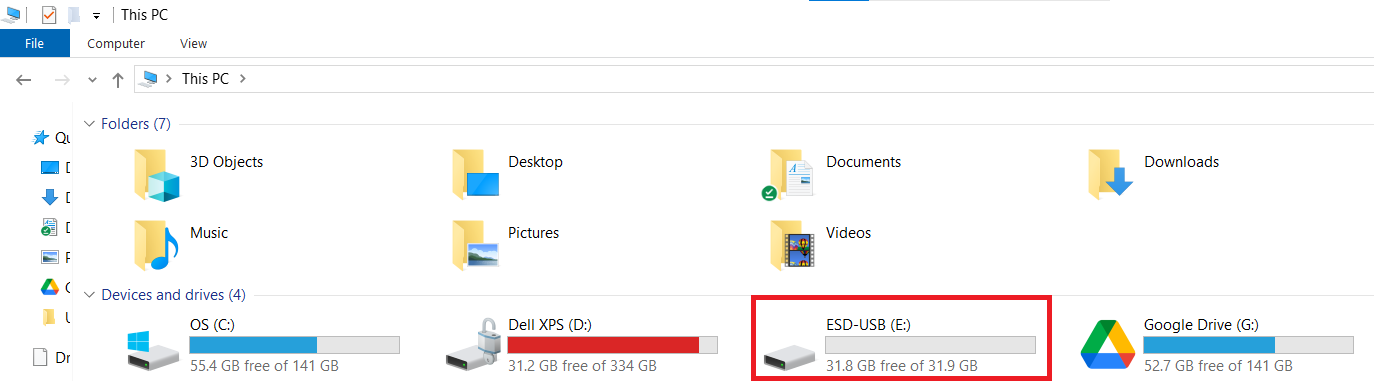
Insert your pendrive into an available USB port on your desktop or laptop. Navigate to your portable USB drive letter in Windows File Explorer.
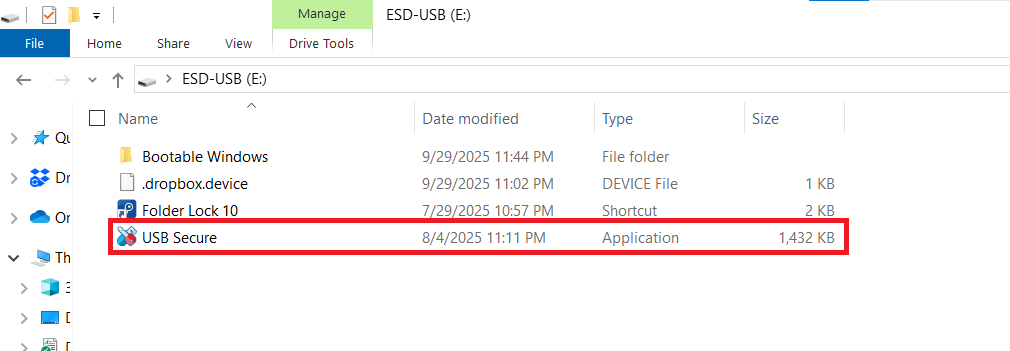
Double-click the protection application executable (like USB Secure) to open the security console.
Type the master password you created during the initial setup, then click OK to verify your password and access the main control interface.
Step 2: Transfer and Protect the PDF File
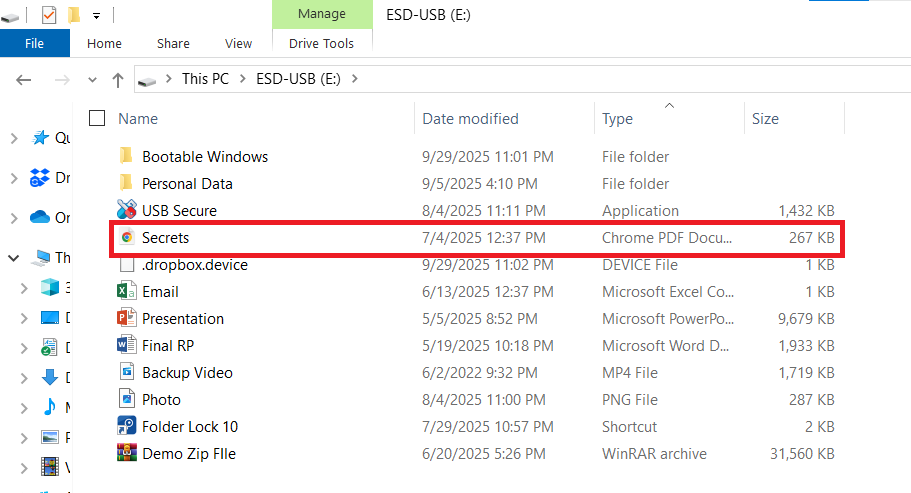
Verify that your confidential PDF document has been copied from your PC onto the USB flash drive. Confirm that the file is visible in your USB drive directory listing before locking.
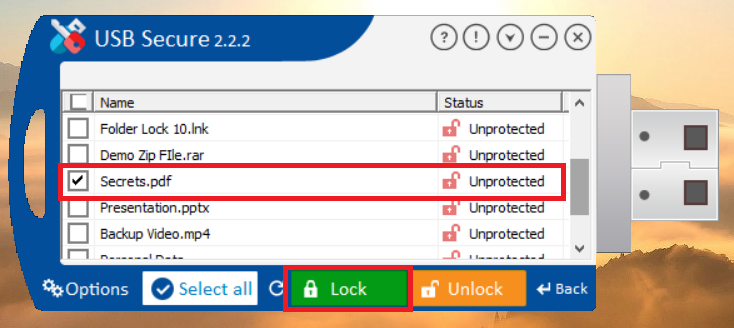
In the control window, click the “Select / Unselect” button. When the item selection screen appears, locate your target PDF document and check the selection box beside it. Click “Lock”. The software instantly applies dynamic cryptographic protection to the selected document.
Step 3: Verification Checklist
After clicking lock, run through this checklist to ensure your privacy is intact:
- ✅ Check File Explorer: Open Windows File Explorer and verify the PDF is no longer visible on the drive.
- ✅ Toggle Hidden Files: Enable “Show hidden files” in Windows and confirm the document remains fully concealed.
- ✅ Test Other Computers: Safely eject the drive, plug it into a different laptop, and confirm the file is still hidden and secure.
Frequently Asked Questions (FAQs)
Does locking a PDF degrade pendrive performance?
No. The software applies encryption directly to the target file data rather than modifying the physical flash memory or disk controllers. Read and write speeds for other unencrypted files on your USB drive remain completely unaffected.
What type of encryption is used for these PDF locks?
Leading utilities utilize advanced algorithms featuring AES-256 encryption. This ensures your data is scrambled into an indecipherable format, preventing forensic recovery tools and unauthorized users from opening confidential PDF contents without the credentials.
Is this considered the best folder lock software for Windows 11 portables?
Yes, for portable external media, it is widely regarded as the best folder lock software for windows 11 and earlier Windows versions due to its zero-installation architecture, fast execution, and cross-system portability.
Ready to secure your files?
Join millions of users who trust Folder Lock to password protect their most sensitive photos, videos, and documents.